

AI Dog Healthcare App

Reducing uncertainty in dog health through real-time tracking, condition analysis, and AI diagnosis.

Data Visualization

Healthcare

Mobile

User Research

Timeline

6/2025 - 9/2025 (12 weeks)

Mentor

1 product manager, 1 engineer

My Role

Leading product designer at CayKnight.AI

Goal

Help dog owners better understand their dogs’ health condition and ways to improve.

What did I do

Drafted 3 interview and two questionnaire scripts, interviewed 30 users and analyzed the results, and solely designed the app’s user flow and interfaces.

Outcomes

83% of users report that the app help them solve their pain point: understanding their dogs' health condition better.

Goal

Help dog owners better understand their dogs’ health condition and ways to improve.

What did I do

Drafted 3 interview and two questionnaire scripts, interviewed 30 users and analyzed the results, and solely designed the app’s user flow and interfaces.

Outcomes

83% of users report that the app help them solve their pain point: understanding their dogs' health condition better.

Design Highlight

Problem Discovery

Problem Discovery

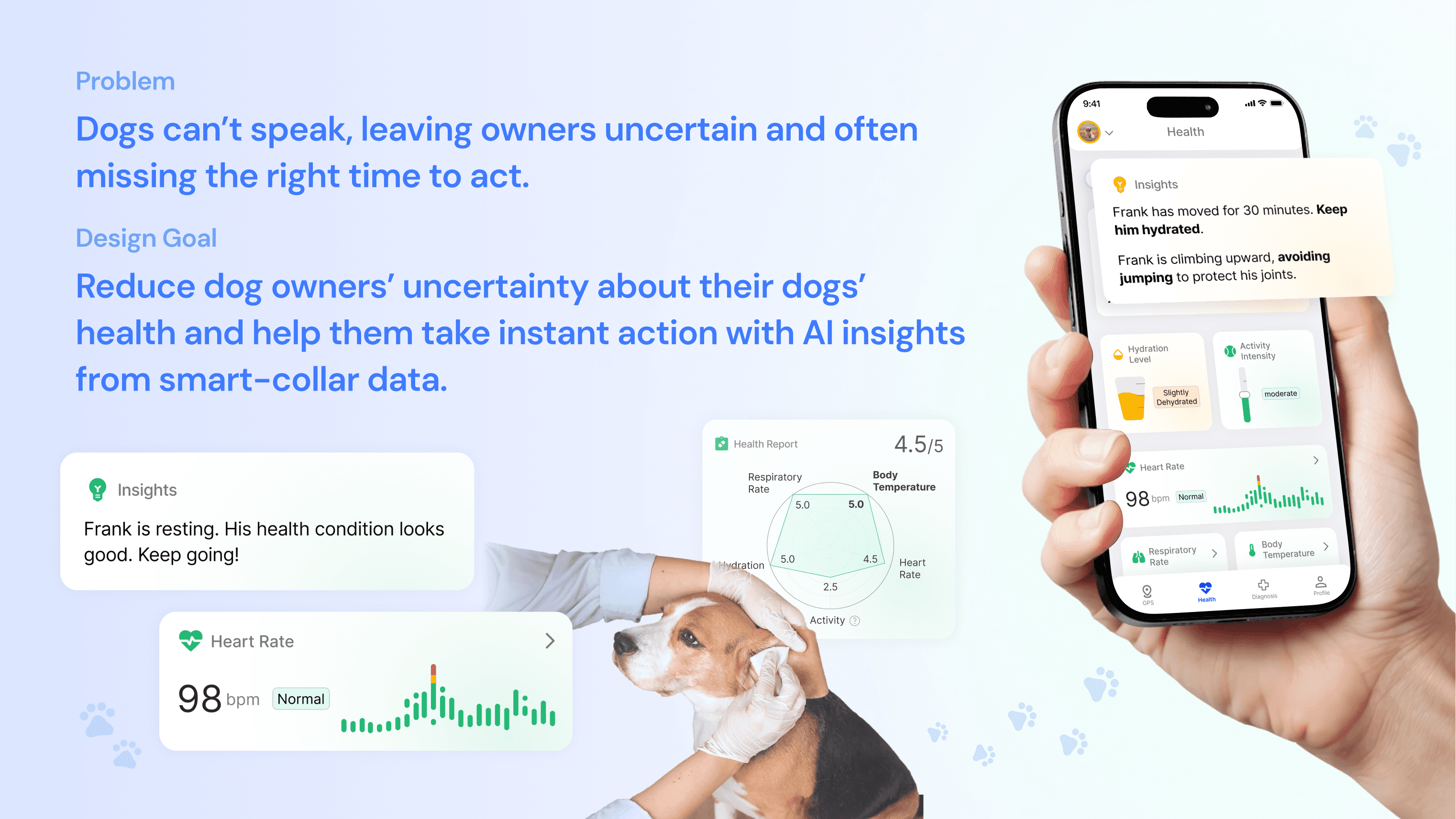
Dogs can’t speak, leaving owners uncertain and often missing the right time to act.

Dogs can’t speak, leaving owners uncertain and often missing the right time to act.

We conducted 30 interviews and 107 surveys, discovering the following pain points:

We conducted 30 interviews and 107 surveys, discovering the following pain points:

All dog owners face the guessing problems

All dog owners face the guessing problems

Take a 6-year old Schnauzer, Bash, as an example:

He has been excessively shaking head - a concerning sign that something’s wrong.Despite trying various solutions - new food, toys, and shampoos - we lost in an endless guessing game.

Dog owners' are facing issues from three aspects:

Uncertainty

Uncertainty

Unknown root cause

Unknown root cause

Time Waste

Time Waste

Try-n-err approach failing

Try-n-err approach failing

Frustration

Frustration

No clear path to solution

No clear path to solution

Our dogs are silently suffering!

Our dogs are silently suffering!

It turned out, Bash was “silently” suffering from a painful ear infection - a common issue affecting many dogs.

On dog & dog owner's side

On dog & dog owner's side

High disease rate

High disease rate

1/14 dogs suffer from Ear Infection/year

1/14 dogs suffer from Ear Infection/year

1/3 dogs suffer from Any Infections/year  

1/3 dogs suffer from Any Infections/year  

Hard to identify 
Early Infection Signs

Hard to identify 
Early Infection Signs

On veterinary's side

On veterinary's side

High disease rate

High disease rate

1/14 dogs suffer from Ear Infection/year

1/14 dogs suffer from Ear Infection/year

1/3 dogs suffer from Any Infections/year  

1/3 dogs suffer from Any Infections/year  

Hard to identify 
Early Infection Signs

Hard to identify 
Early Infection Signs

After understanding the problems, we came up with dog owners' major pain point and our design goal:

After understanding the problems, we came up with dog owners' major pain point and our design goal:

Pain point

Dog owners’ uncertainty about their dogs’ health condition may lead to health problems.

Design question

Visualize dogs health condition and tell owners proper actions to take.

Solution Map

Solution Map

Monitor, evaluate, and diagnose

Monitor, evaluate, and diagnose

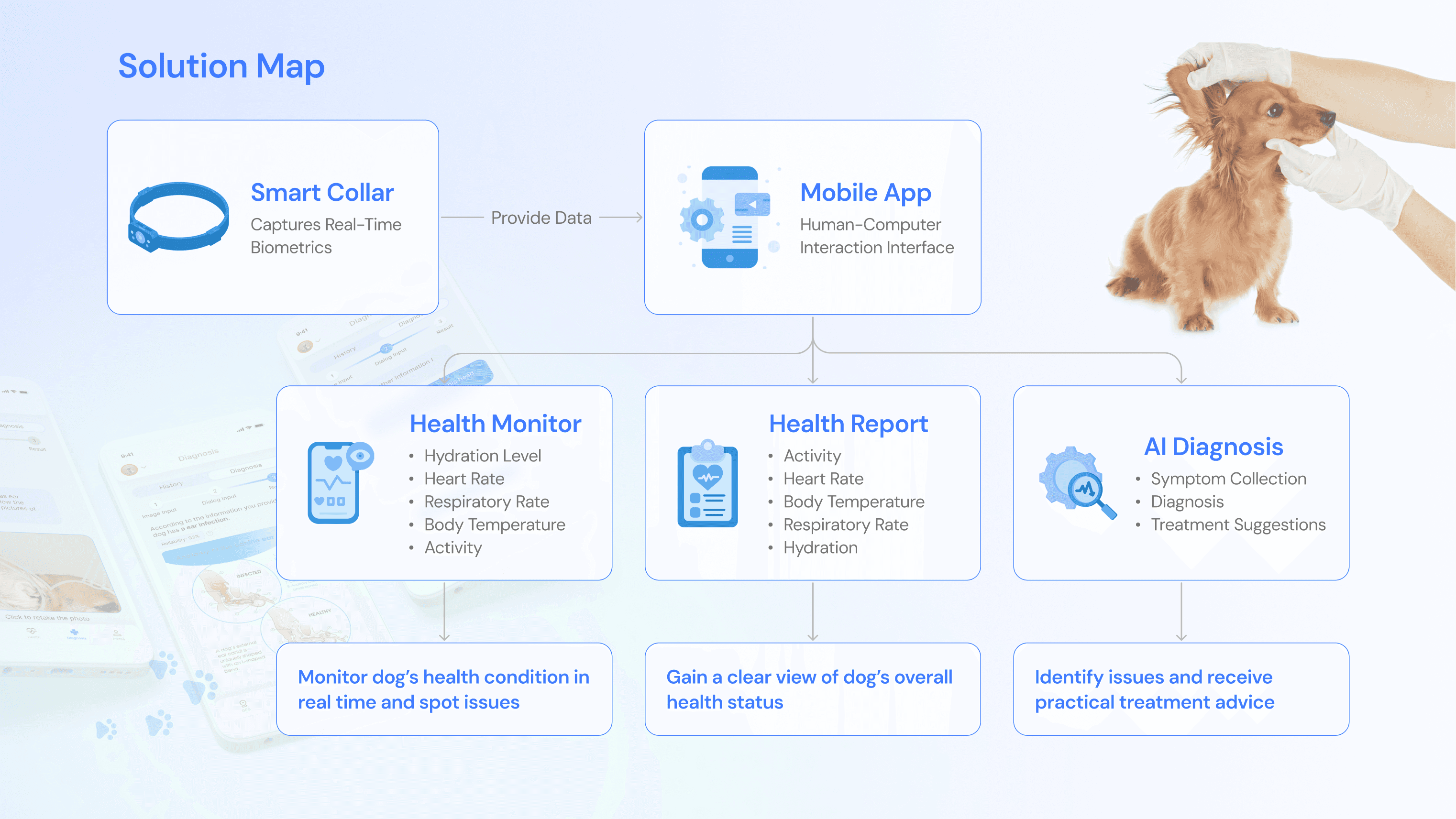
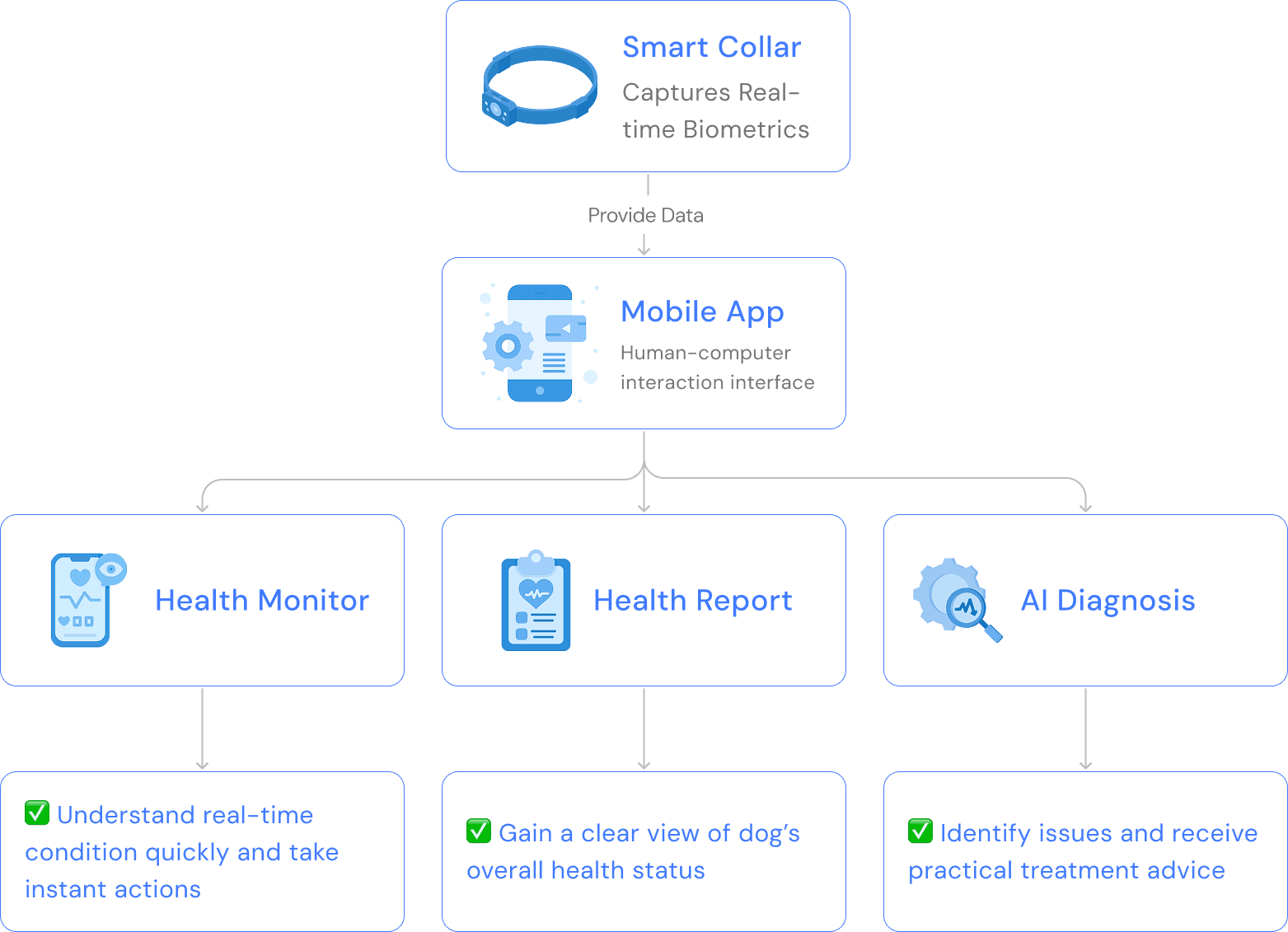
With the design question in mind, we mapped out our solution, and started designing based on the solution map.

With the design question in mind, we mapped out our solution, and started designing based on the solution map.

Design Details

Design Details

Health monitor - Present concise information

Health monitor - Present concise information

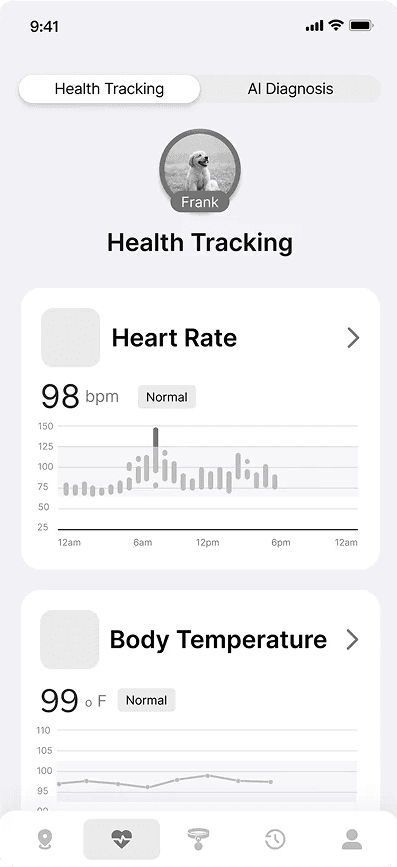
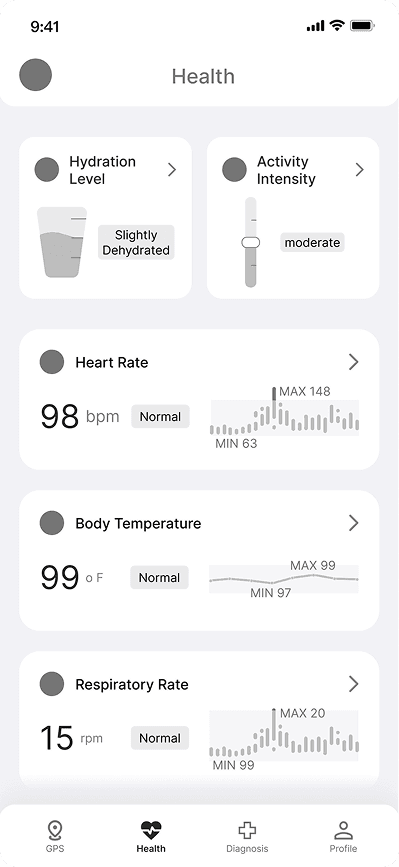
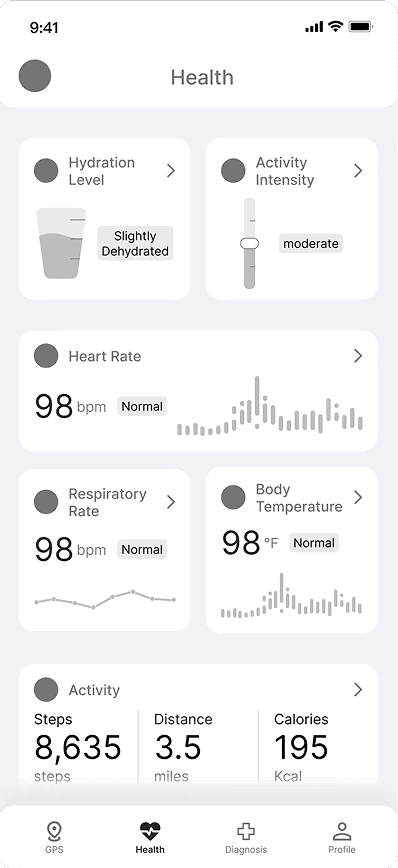
I started design with different versions of low-fi prototype. Though those explorations, I explored the right amount of information to present to users.

I started design with different versions of low-fi prototype. Though those explorations, I explored the right amount of information to present to users.

Iteration 1 - Figuring out the information density

Iteration 1 - Figuring out the information density

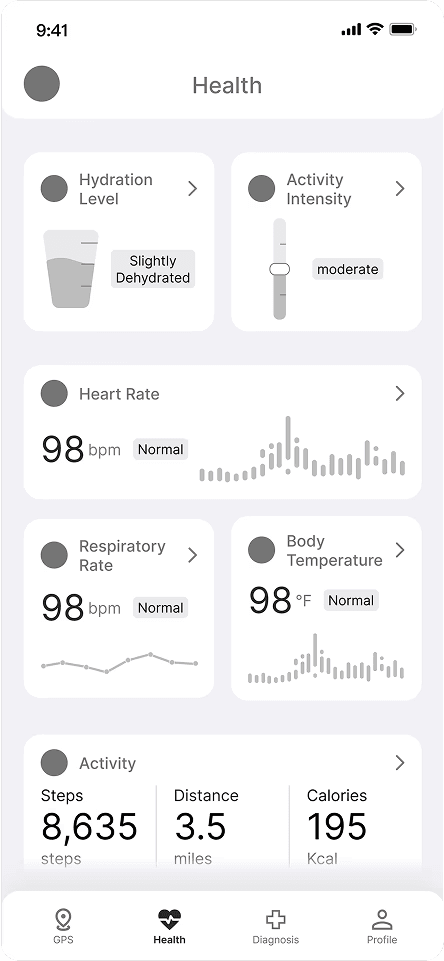
I designed three versions with progressively reduced information and smaller metric cards. To avoid information overload and allow users to view all metrics without scrolling, we selected Version 3—the most concise solution.

I designed three versions with progressively reduced information and smaller metric cards. To avoid information overload and allow users to view all metrics without scrolling, we selected Version 3—the most concise solution.

After choosing version 3, we conducted a round of user testing and iterate based on the major user feedbacks.

After choosing version 3, we conducted a round of user testing and iterate based on the major user feedbacks.

Iteration 2 & 3 - Make information easier to understand

Iteration 2 & 3 - Make information easier to understand

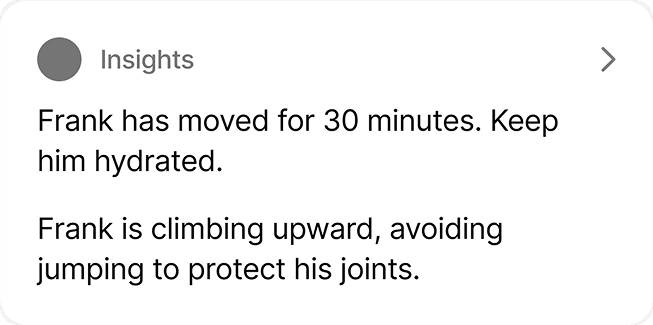
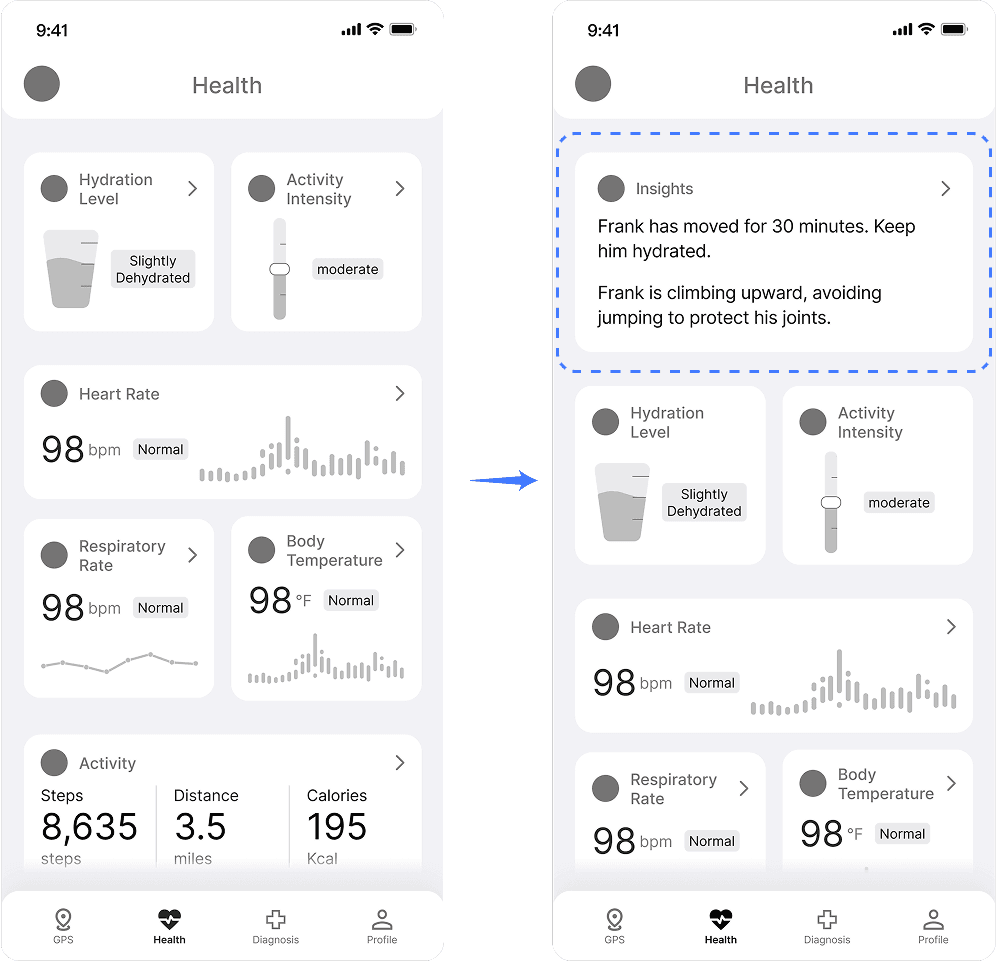
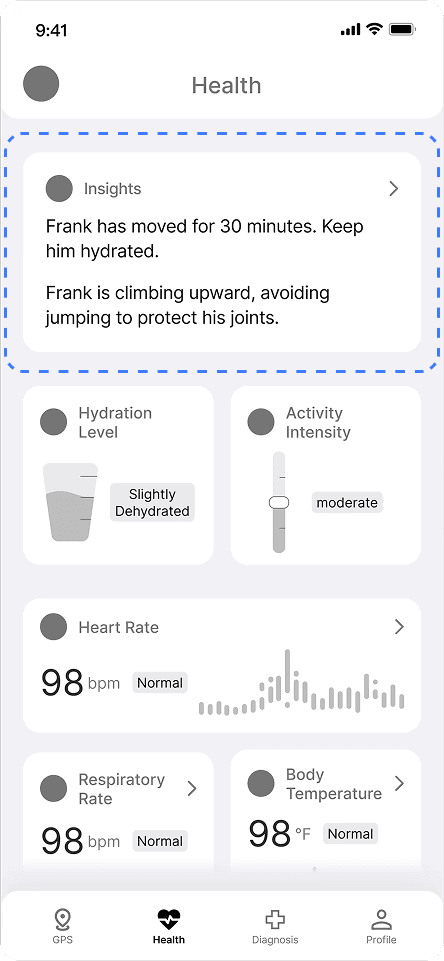
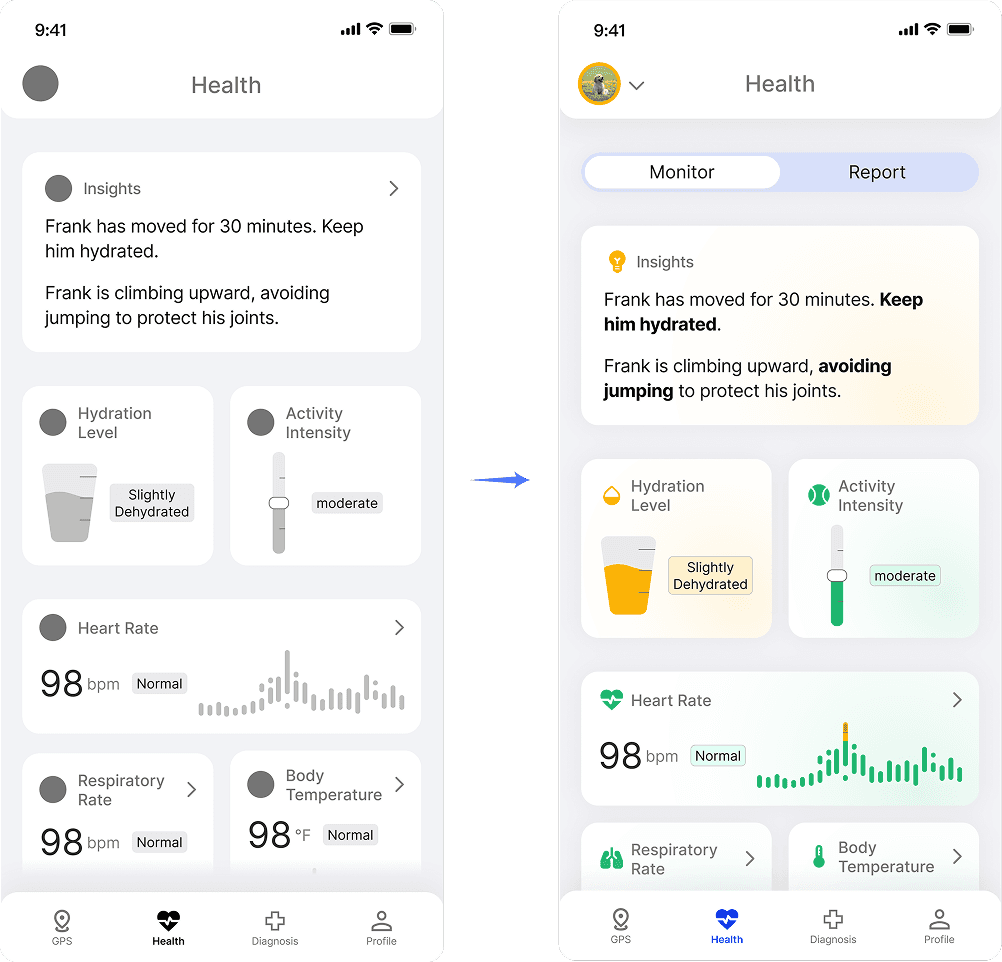
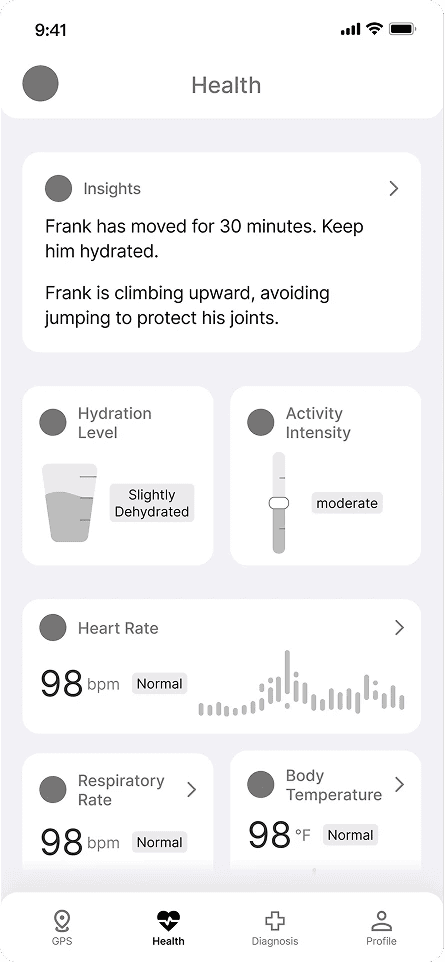
To solve users' pain point, I added the insight card to point out the most concerning issues and actions to take to solve the issue.

To solve users' pain point, I added the insight card to point out the most concerning issues and actions to take to solve the issue.

With the new iteration, we conducted another round of user testing, and designed the hi-fi prototype on users' feedbacks.

With the new iteration, we conducted another round of user testing, and designed the hi-fi prototype on users' feedbacks.

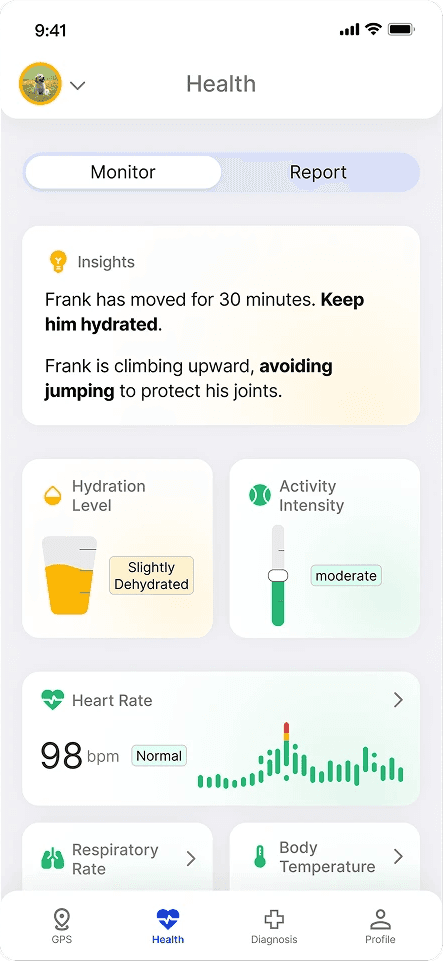
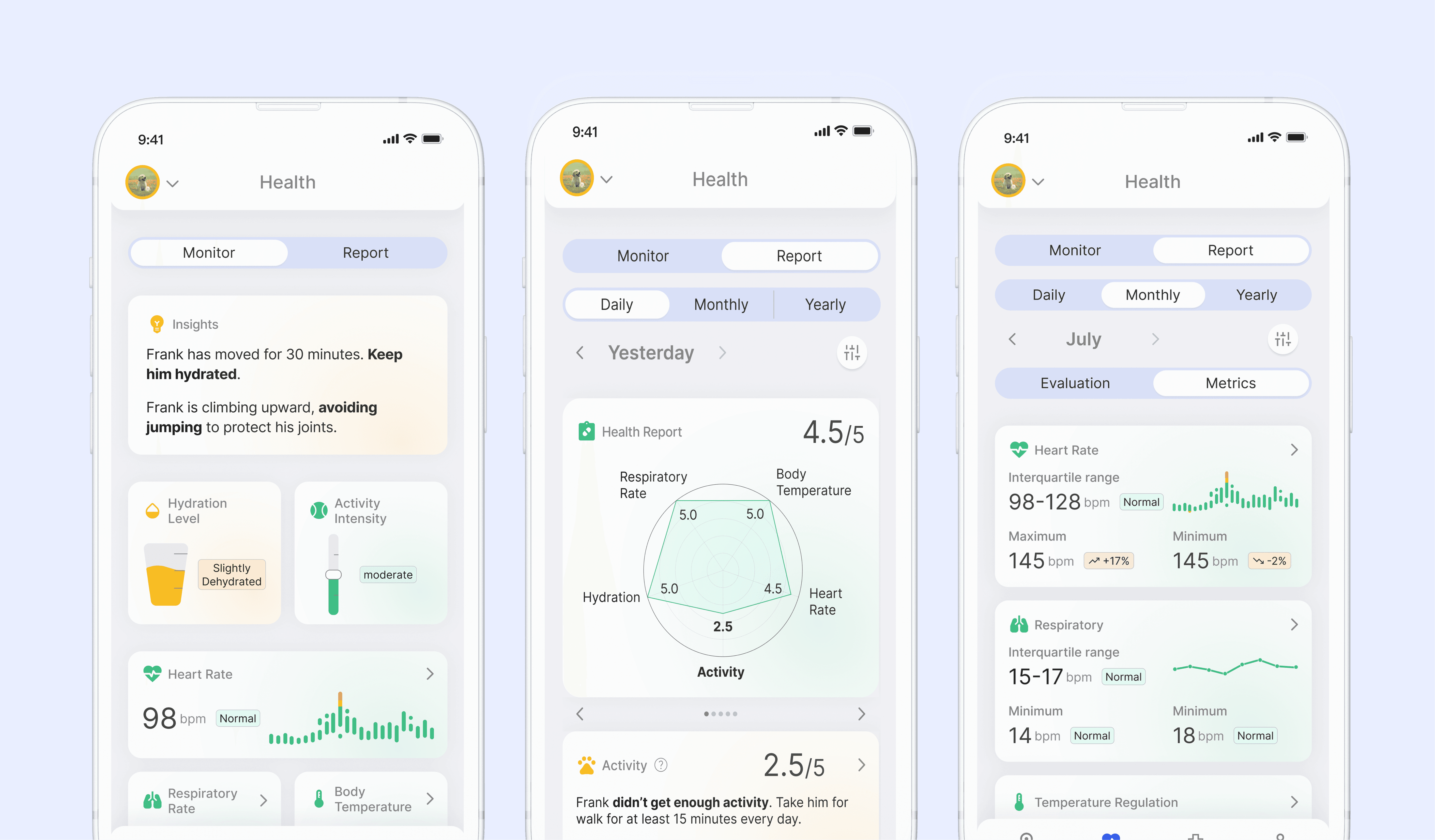
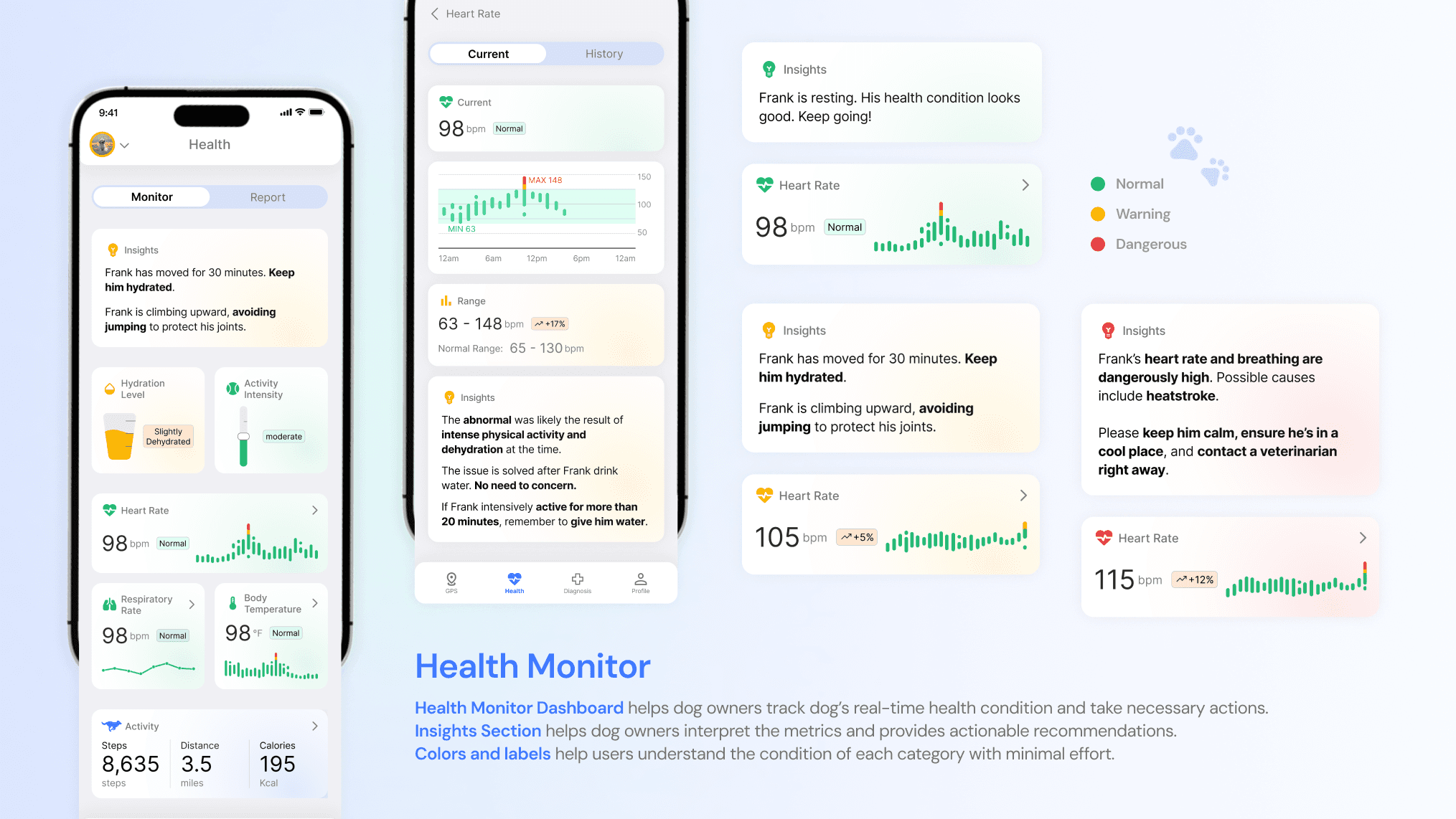
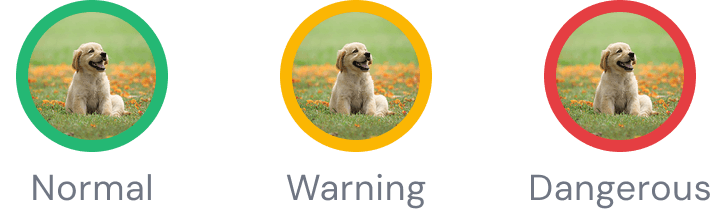
I added color coding and labels showing exact variance when a metric exceeds healthy limits, helping users instantly assess severity.

The dog’s avatar at the top reflects the dog’s overall real-time health, ensuring information visibility on every screen.
Final Design

Final Design

Health Monitor

Health Monitor

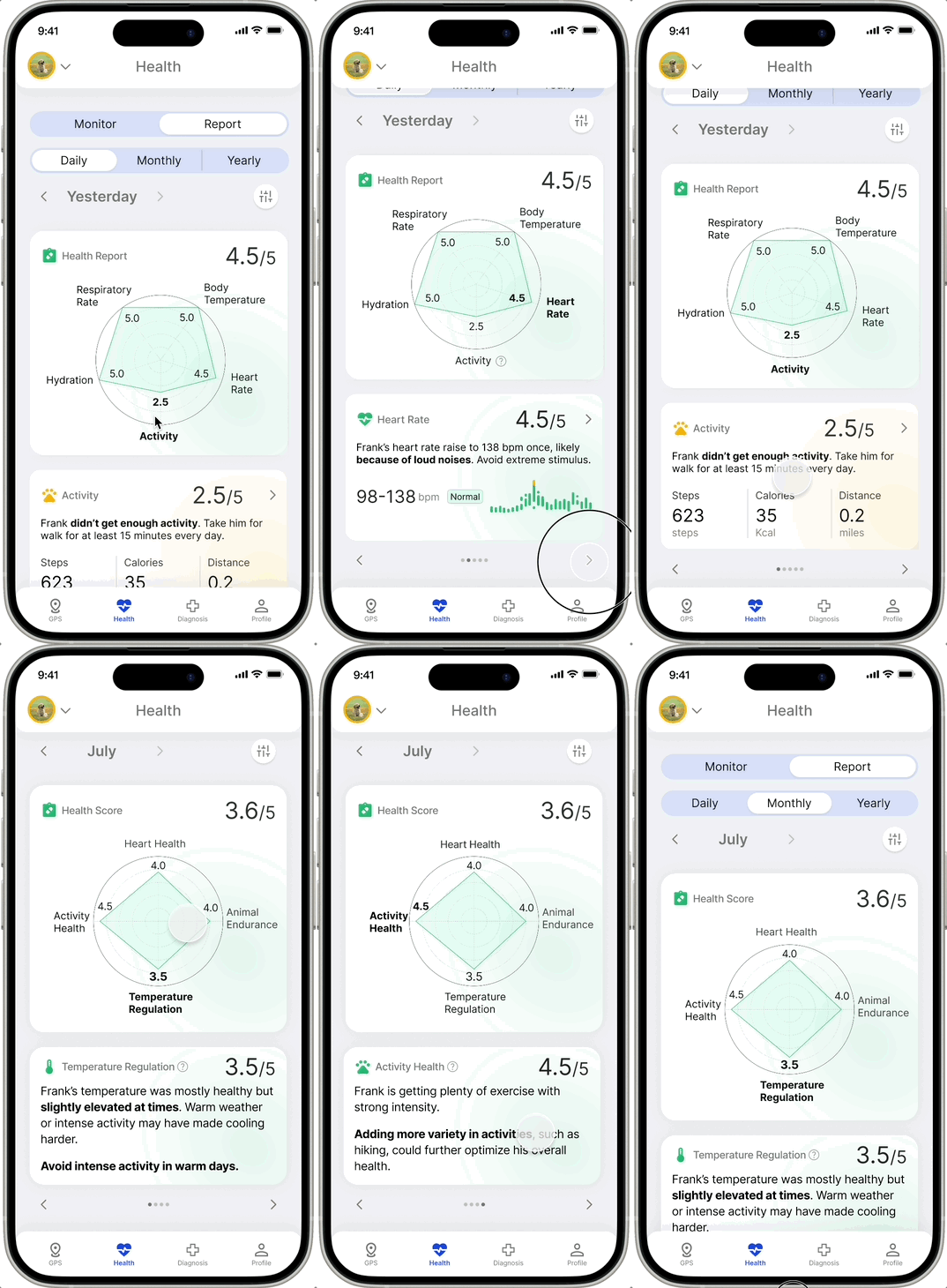
Enable effortless understanding of dogs' real-time health condition by:
Data visualization

Data visualization

Color indication

Color indication

Insights panel

Insights panel

Design Details

Health report - Present clear information

Health report - Present clear information

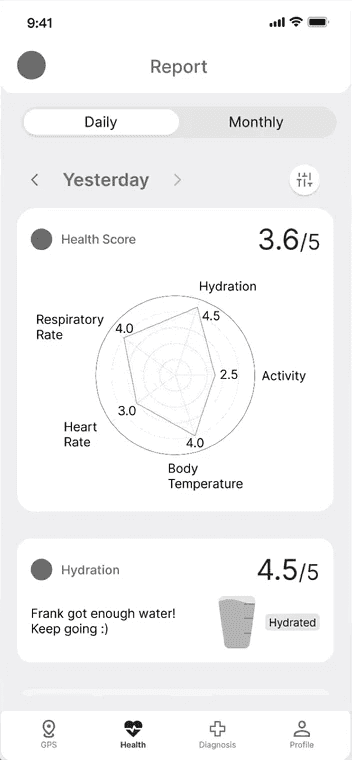
Iteration 1 & 2 - Multi-category data visualization

Iteration 1 & 2 - Multi-category data visualization

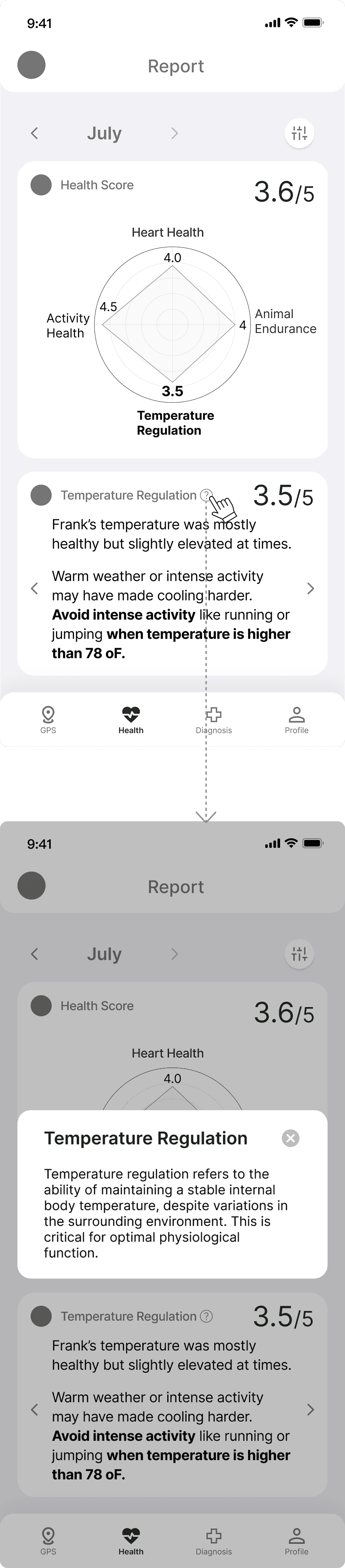
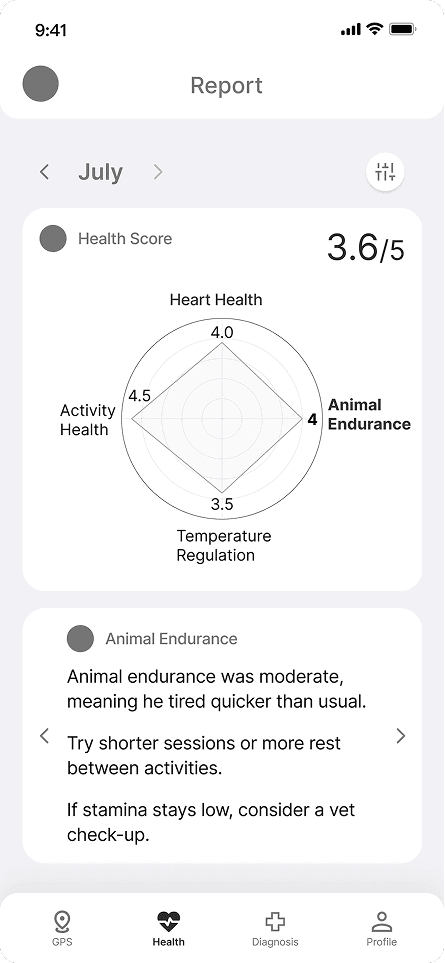
Iteration 1 of health report evaluate dogs' activity health, heart health, animal endurance, and temperature regulation every month, help users understand dog's overall health condition on a monthly basis.

Iteration 1 of health report evaluate dogs' activity health, heart health, animal endurance, and temperature regulation every month, help users understand dog's overall health condition on a monthly basis.

We conducted user testing on iteration 1, and designed iteration 2.

We conducted user testing on iteration 1, and designed iteration 2.

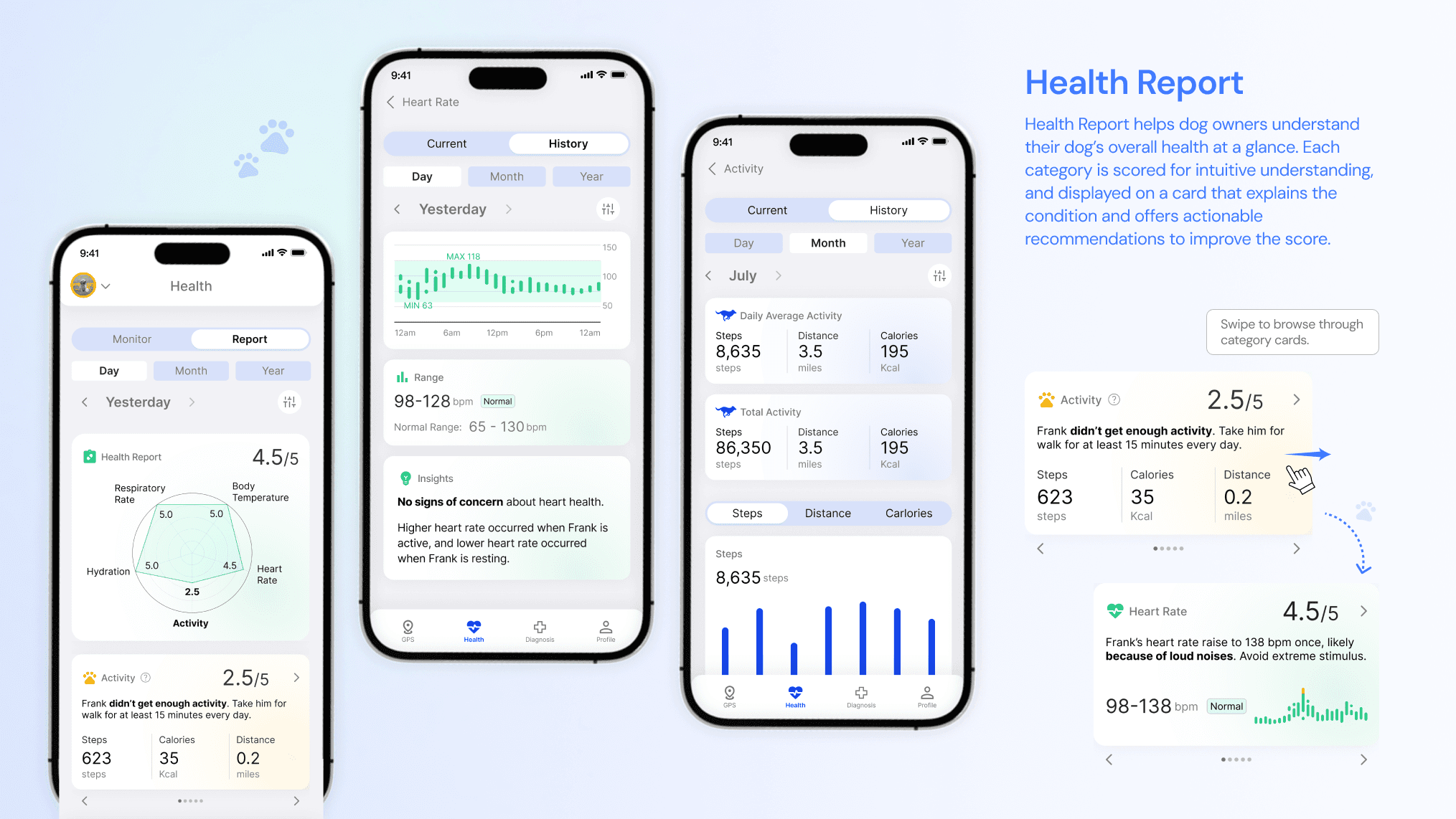
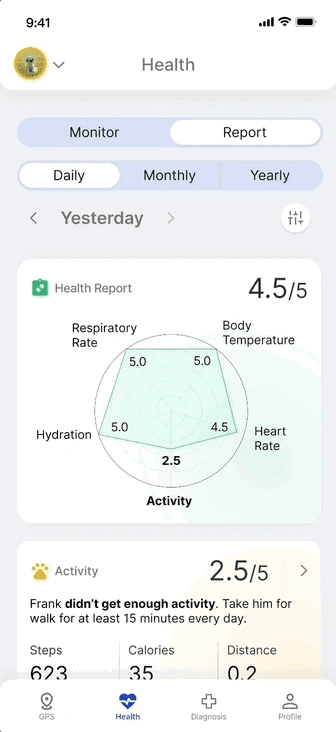
To help users better relate the score of each category to the insights, I placed the score on each insight card.
To help users understand how to improve a score, I highlighted the improvement recommendations in the insight cards.
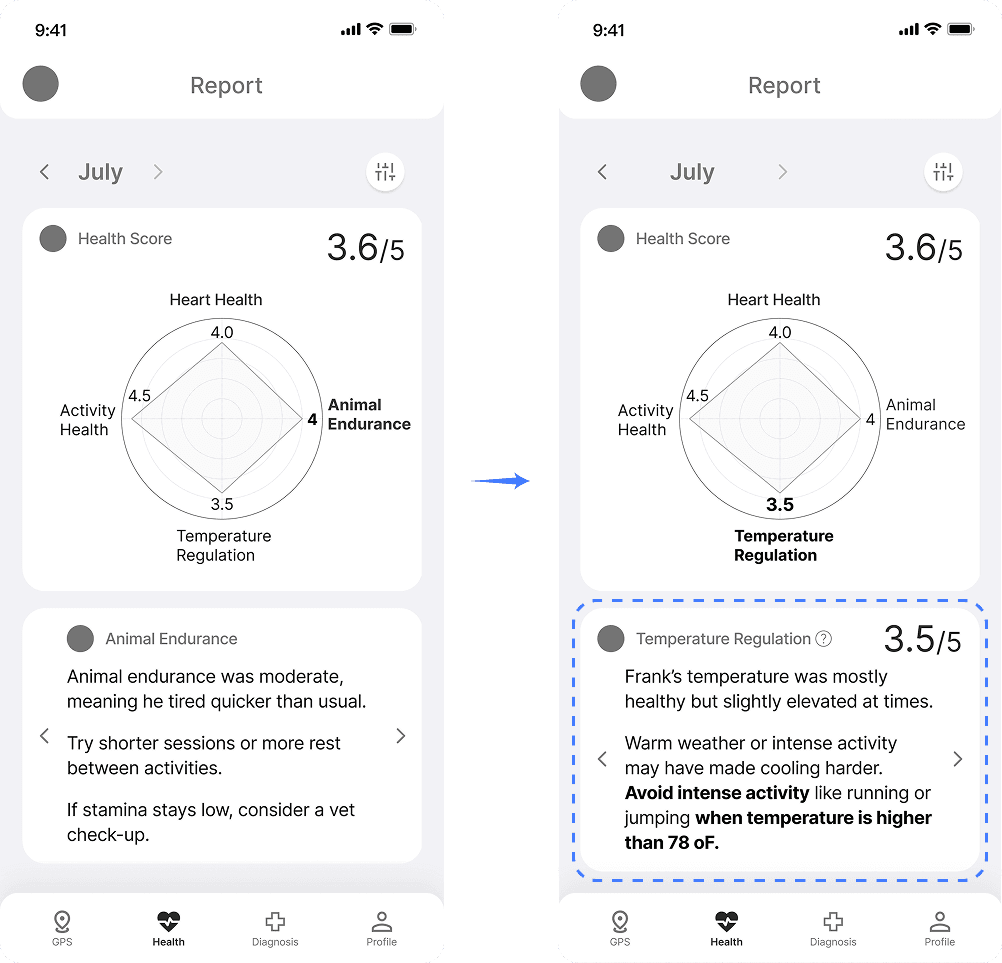
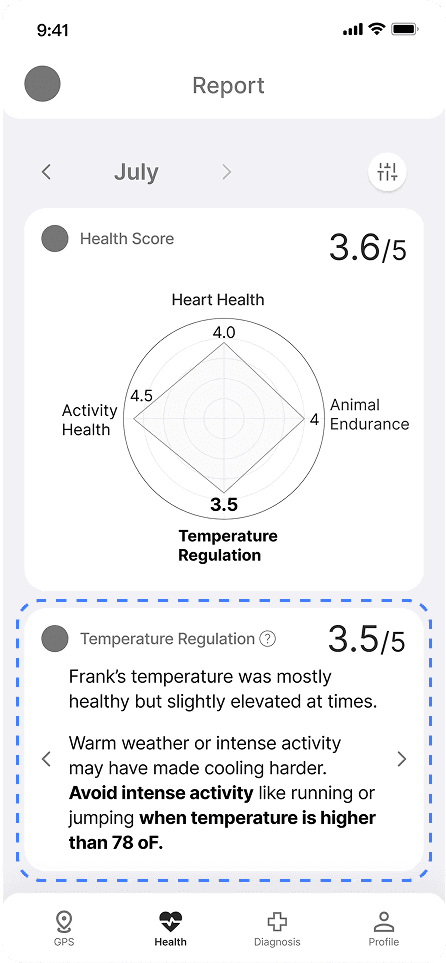
To help users understand how to improve a score, I highlighted the improvement recommendations in the insight cards.
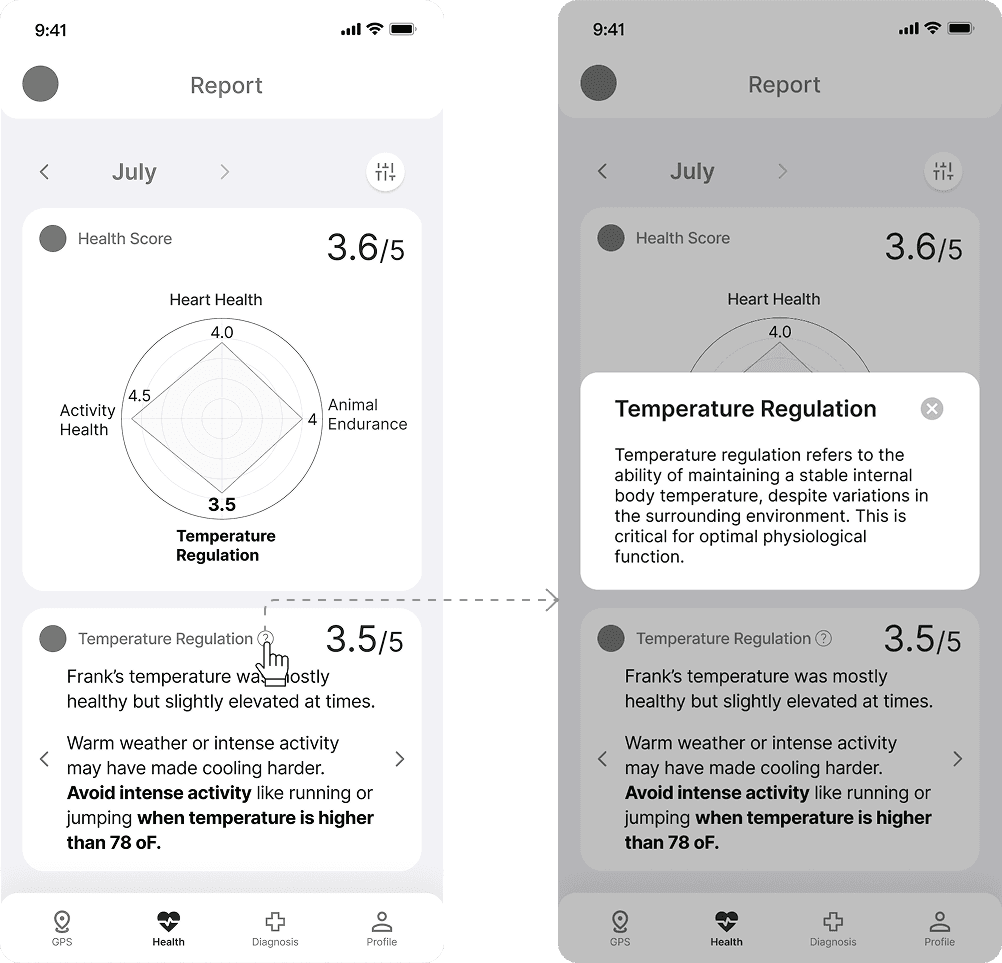
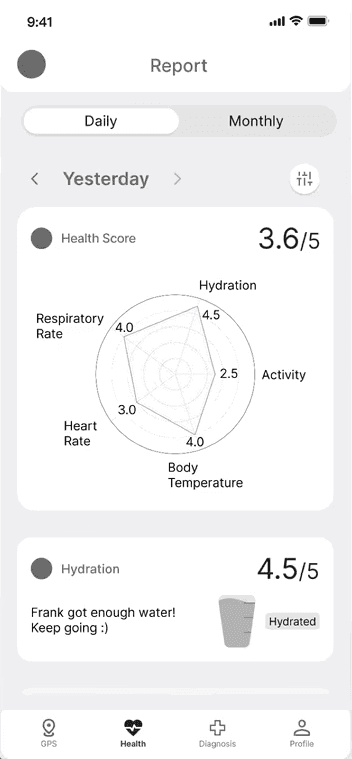
To help users quickly assess their dog's health, I designed a daily dashboard tracking key raw metrics: respiratory rate, hydration, activity, body temperature, and heart rate. Monthly reports differ as they focus on long-term trends that require more time to evaluate.

Iteration 3 - Improve data clarify by improving interaction method

Iteration 3 - Improve data clarify by improving interaction method

To solve users' issues, instead of displaying all metric cards at once, we collapsed them and allowed users to swipe left and right to view them.

I prioritized showing the lowest-scoring metric card first to draw the user’s attention.

This change reduced the cognitive load of reading all the metrics and helped users focus on the most important information first.
Final design

Final design

Health Report

Health Report

Enable effortless understanding of dogs' overall health condition by:

Effortless understanding of dogs' overall health condition by:

Quantitative score

Quantitative score

Spider chart visualization

Spider chart visualization

Insights panel

Insights panel

Design Details

AI diagnosis - Build intuitive, transparent, and trustworthy human-AI interaction

AI diagnosis - Build intuitive, transparent, and trustworthy human-AI interaction

Iteration 1 - How users input information

Iteration 1 - How users input information

When designing AI diagnosis, the first issue is deciding how users input syptoms. I started with designing two versions:

When designing AI diagnosis, the first issue is deciding how users input syptoms. I started with designing two versions:

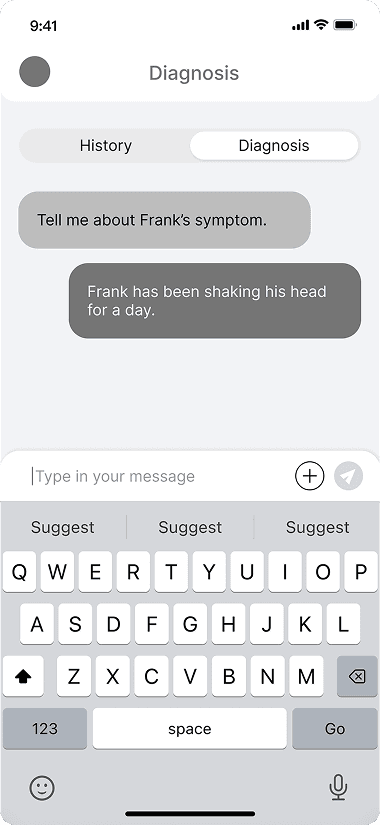
Version 1 is the the conversational based dialogue input. Users describe their dog's symptoms with natural language. However, this input method cannot ensure accuracy.

Version 1 is the the conversational based dialogue input. Users describe their dog's symptoms with natural language. However, this input method cannot ensure accuracy.

Version 1 is the the conversational based dialogue input. Users describe their dog's symptoms with natural language. However, this input method cannot ensure accuracy.

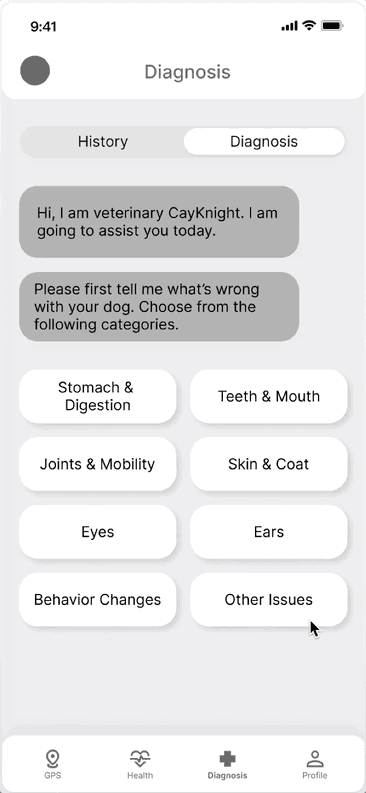
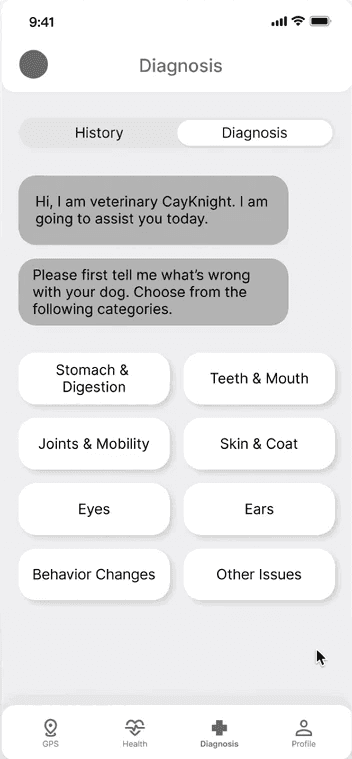
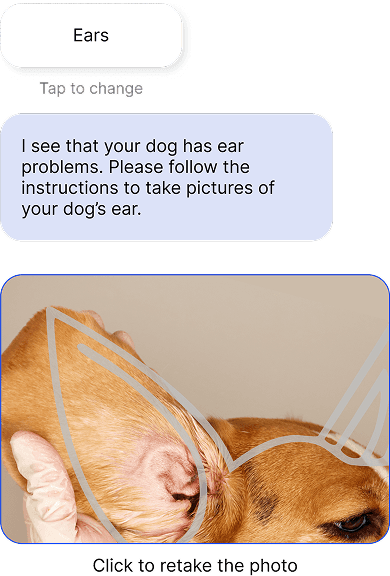
Version 2 is a more structured, image-based input. Dog owners need to choose the issue from the 8 categories, then taking a picture of the symptoms. But this approach lacks flexibility and prevents owners from providing more details.

Version 2 is a more structured, image-based input. Dog owners need to choose the issue from the 8 categories, then taking a picture of the symptoms. But this approach lacks flexibility and prevents owners from providing more details.

Version 2 is a more structured, image-based input. Dog owners need to choose the issue from the 8 categories, then taking a picture of the symptoms. But this approach lacks flexibility and prevents owners from providing more details.

Version 1

Version 1

Version 2

Version 2

Version 3

Version 3

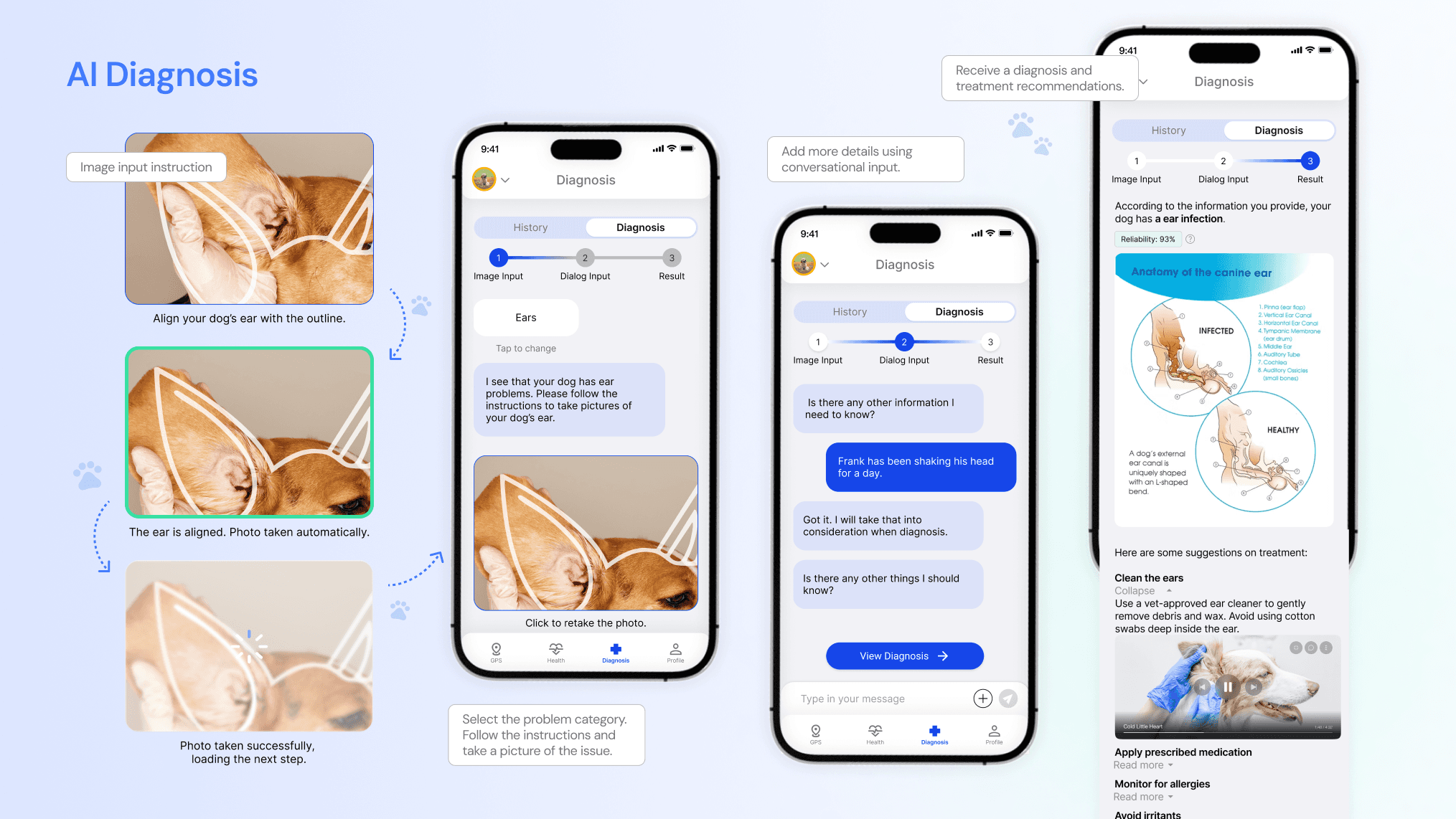
I combined the two versions to design version 3. First, users select the category where the issue occurs, then they are prompted to take photos of the symptoms. After that, they can add additional symptoms in conversational format. Once users finish supplementing the symptoms, they can request the app to generate the diagnosis.

I combined the two versions to design version 3. First, users select the category where the issue occurs, then they are prompted to take photos of the symptoms. After that, they can add additional symptoms in conversational format. Once users finish supplementing the symptoms, they can request the app to generate the diagnosis.

Version 3 use structured image-based input to ensure accurately gathering the crucial information, while use the conversational input to ensure flexibility. I moved forward with version 3.
Iteration 2 - Build control, trust, and transparency

Iteration 2 - Build control, trust, and transparency

We conducted user testings on iteration 1, and continue designing.

We conducted user testings on iteration 1, and continue designing.

Allow going back to previous steps

To help users review or edit prior inputs, we added an interactive progress bar. It tracks their stage in the AI diagnosis and lets them jump to any step to chat with the AI, retake photos, or update categories.

Add reliability label

Add reliability label

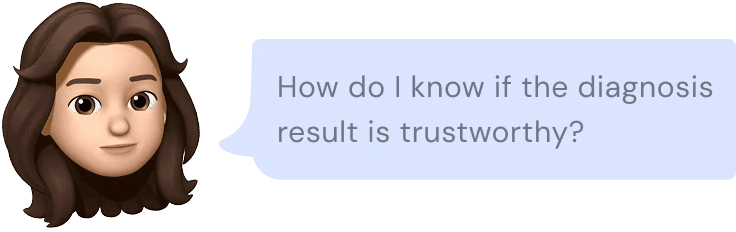
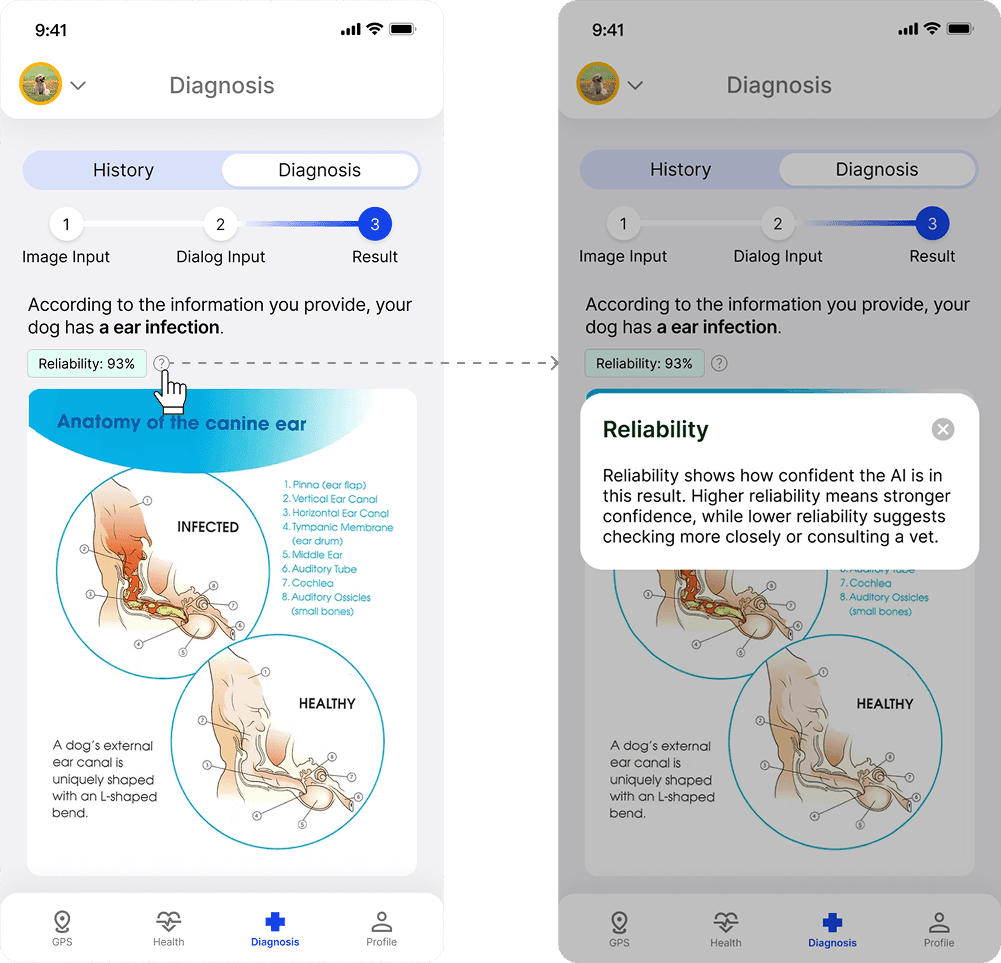
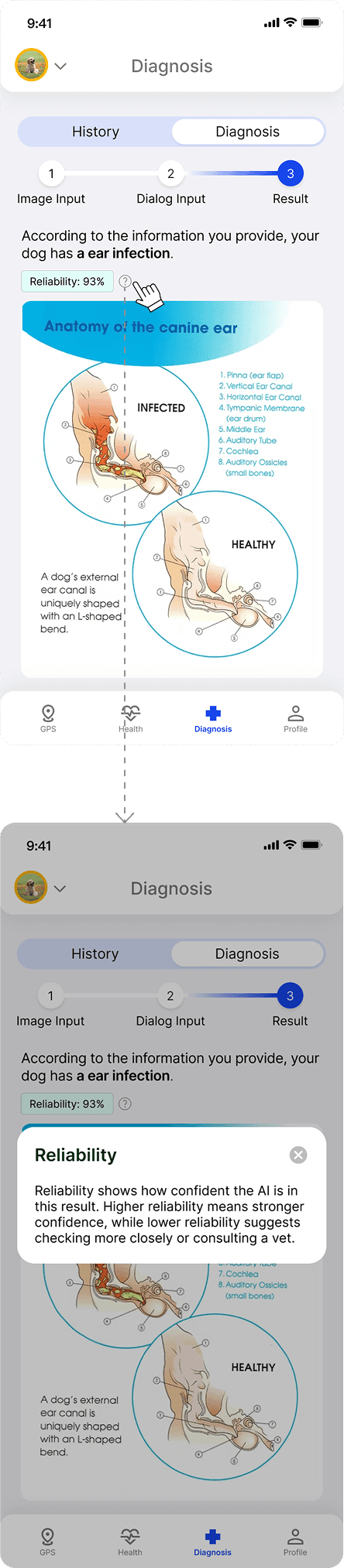
To address users' issue, our AI model is able to calculate the reliability level of the diagnosis.

I designed a label here to demonstrate the reliability, and users can also click on this question mark to learn more about what reliability means.

Those design makes the AI diagnosis more transparent and trustworthy.
Final design

Final design

AI Diagnosis

AI Diagnosis

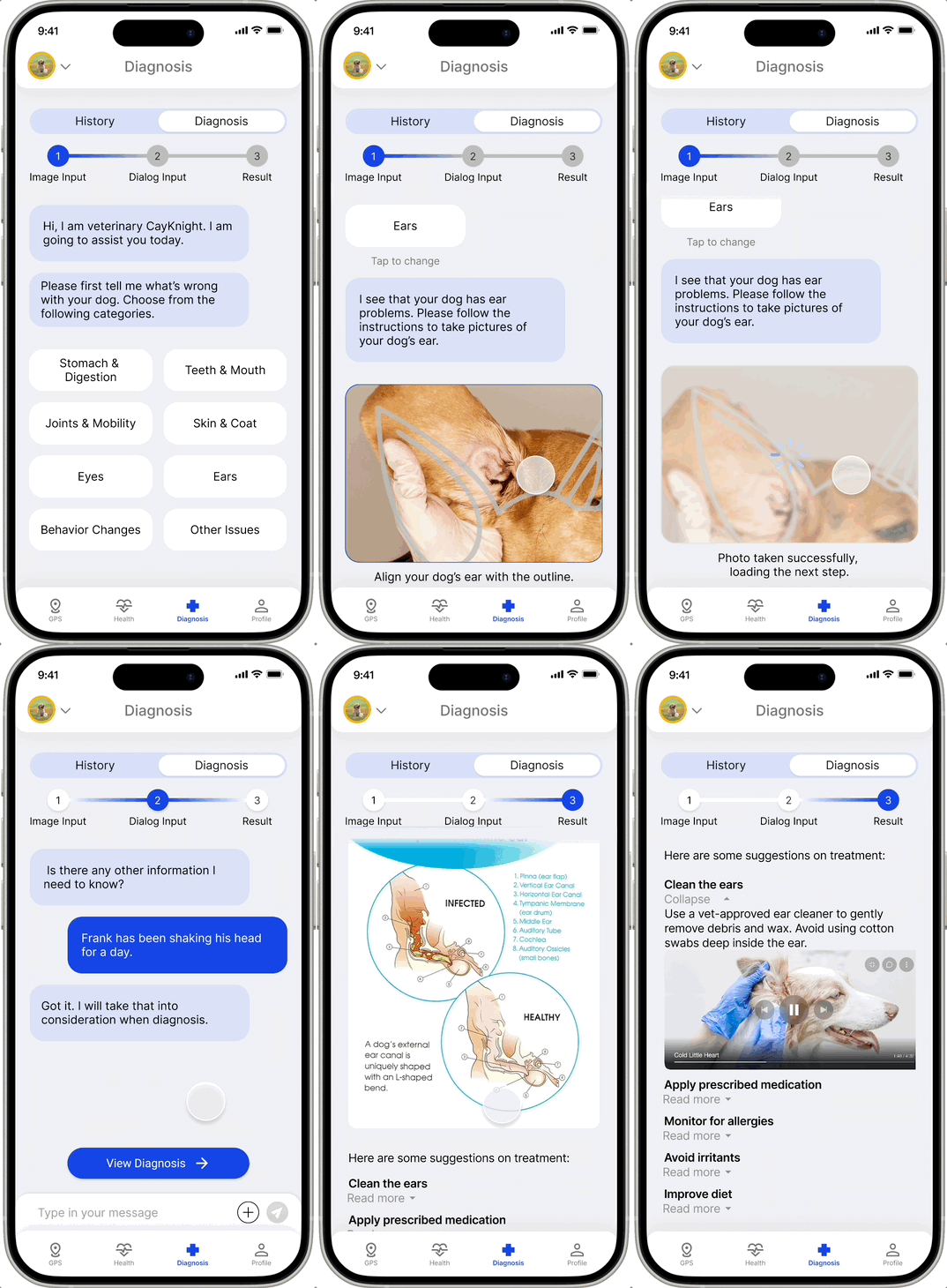
Enable easy and accurate symptom input by:

Enable easy and accurate symptom input by:

Image-based input with instruction

Image-based input with instruction

Dialog-based input with flexibility

Dialog-based input with flexibility

Enable clear and actionable diagnoses by:

Enable clear and actionable diagnoses by:

Visual Diagrams

Visual Diagrams

Treatment Lists

Treatment Lists

Build trust and transparency by:

Build trust and transparency by:

Reliablity label

Reliablity label

Result

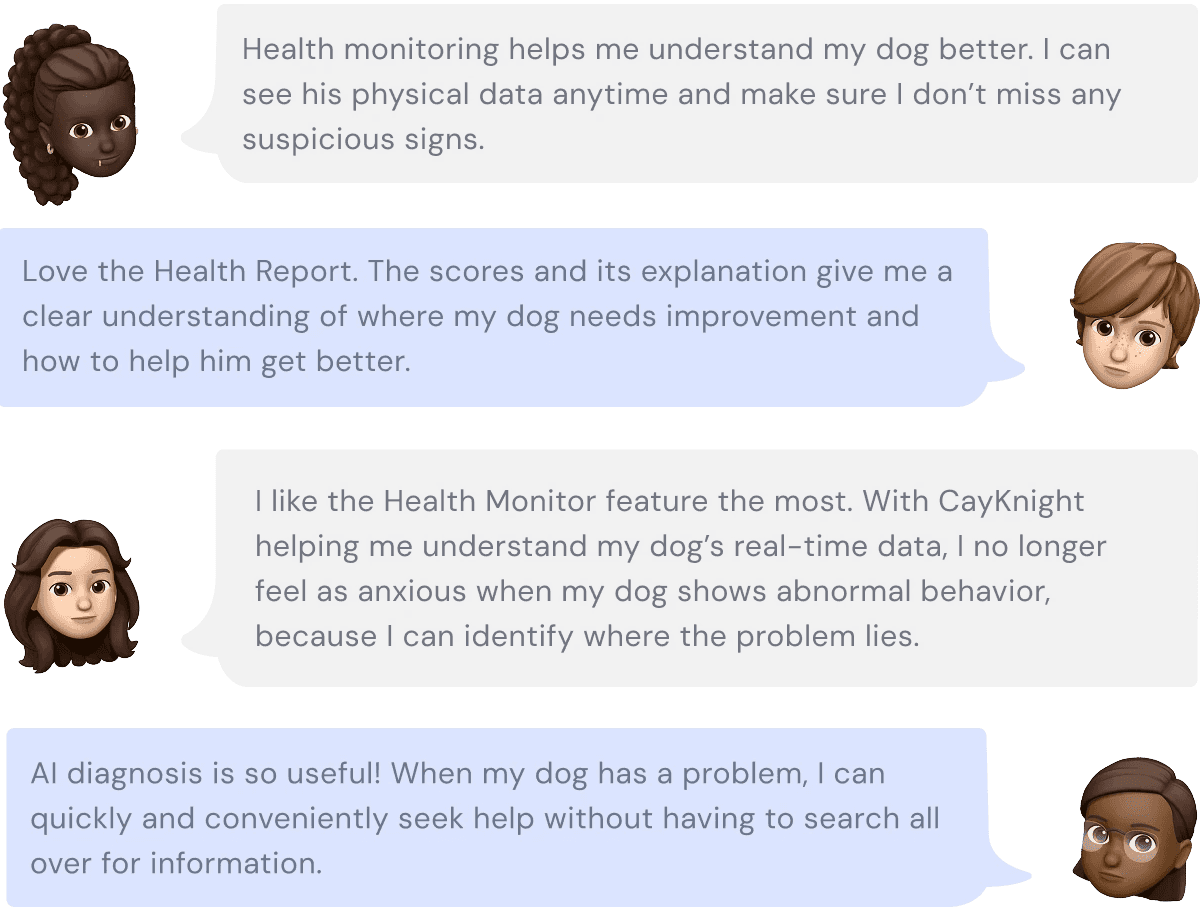
Among the 32 dog owners who participated in the user research:

Among the 32 dog owners who participated in the user research:

4.6

is the average user rating.

is the average user rating.

92%

of users rate more than 4.

of users rate more than 4.

87%

of users believed the app helps them better understand their dog’s health condition.
of users believed the app helps them better understand their dog’s health condition.

of users believed the app helps them understand the dog’s condition.

Among the 32 dog owners who participated in the user research: