AI Reading Reasearch Tool

Increased retention rate by 23% by combing the paper reader with the AI vibe reading workflow.

AI

Usability

Desktop

B2B

Timeline

5/2025 - 8/2025

12 weeks

Collaboration

3 Engineers

2 Product Managers

My Role

Founding Product Designer

@ DeepTutor

Summary

Goal

Improve the experience of our target users—researchers—using DeepTutor, an AI-powered research reading tool.

What did I do

Discover users' needs

  • Interviewed 24 users and collected 120+ survey results.

  • Drafted 3 interview and 2 questionnaire scripts.

Design

  • Solely designed DeepTutor Desktop from 0 to 1.

Implement

  • Vibe code the frontend UI

Outcomes

  • Reduced usage friction by 31%.

  • Reduced usage friction by 31%.

  • Increased retention rate by 23%.

  • Increased retention rate by 23%.

  • Increased retention rate by 23%.

  • Increased frontend implementation speed by 60%.

  • Increased frontend implementation speed by 60%.

  • Increased frontend implementation speed by 60%.

Reducing uncertainty in dog health through real-time tracking, condition analysis, and AI diagnosis.

Data Visualization

Healthcare

Mobile

User Research

Timeline

6/2025 - 9/2025

12 weeks

Collaboration

1 Product Manager

1 Engineer

My Role

Product Designer

Founding Product Designer

@ CayKnight.AI

@ DeepTutor

@ DeepTutor

Problem Discovery

Switching between AI tools and paper readers disrupts researchers’ workflow.

Switching between AI tools and paper readers
disrupts researchers’ workflow.

When I join the team, the team has already released DeepTutor webapp. However, the app experience a low conversion rate, indicating a high usage friction, and a low retention rate, indicating that the product is not meeting user' needs.

When I join the team, the team has already released DeepTutor webapp. However, the app experience a low conversion rate, indicating a high usage friction, and a low retention rate, indicating that the product is not meeting user' needs.

When I join the team, the team has already released DeepTutor webapp. However, the app experience a low conversion rate, indicating a high usage friction, and a low retention rate, indicating that the product is not meeting user' needs.

Low conversion rate

conversation

conversation

only

5%

of users start first conversation

of users start first

of users start first

Low retention rate

7-day retention rate is only

12%

To improve users' experience, we interviewed 24 users, collected 120+ surveys, and use fake door questionnaires to discover users' pain points:
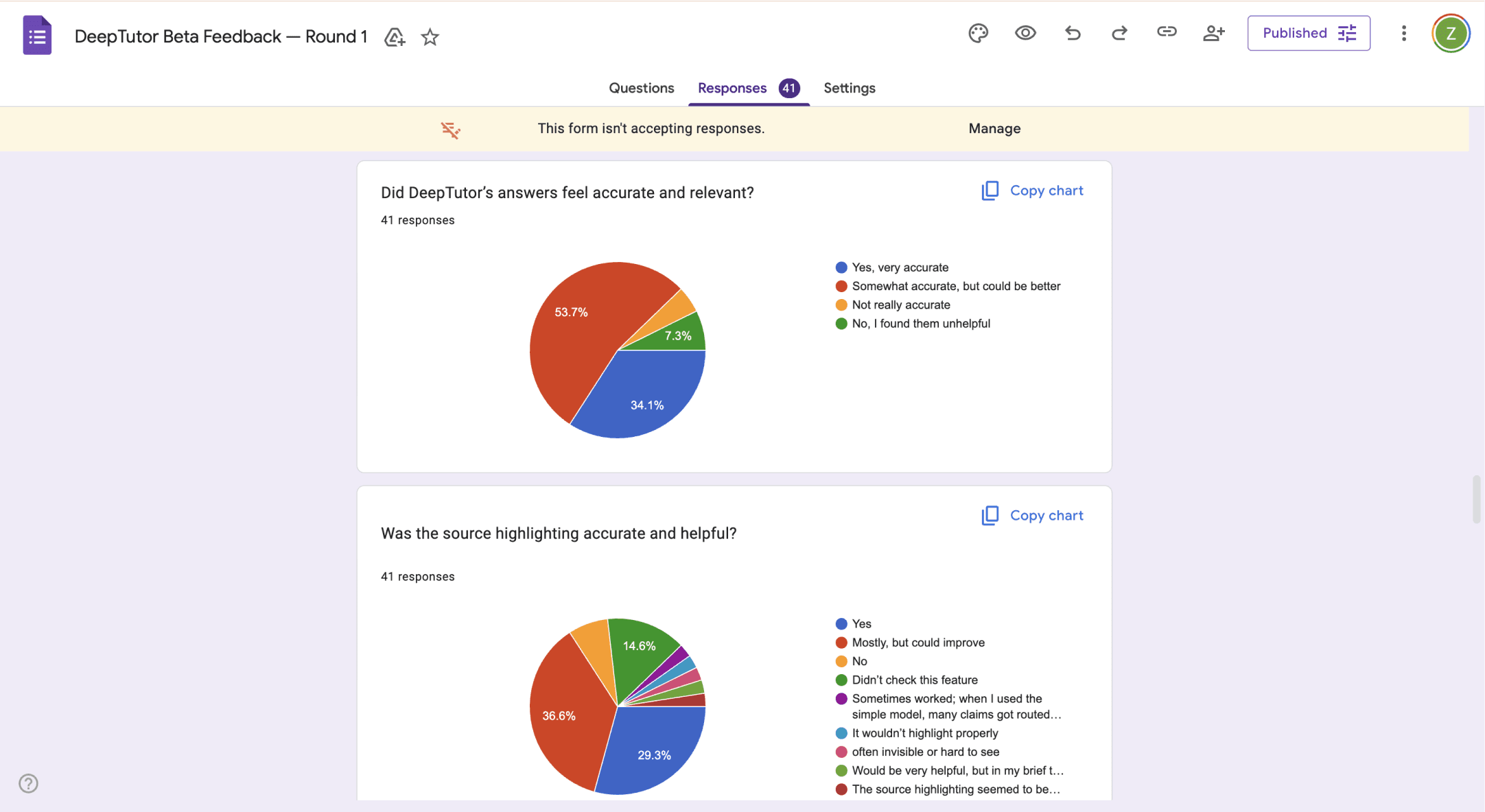
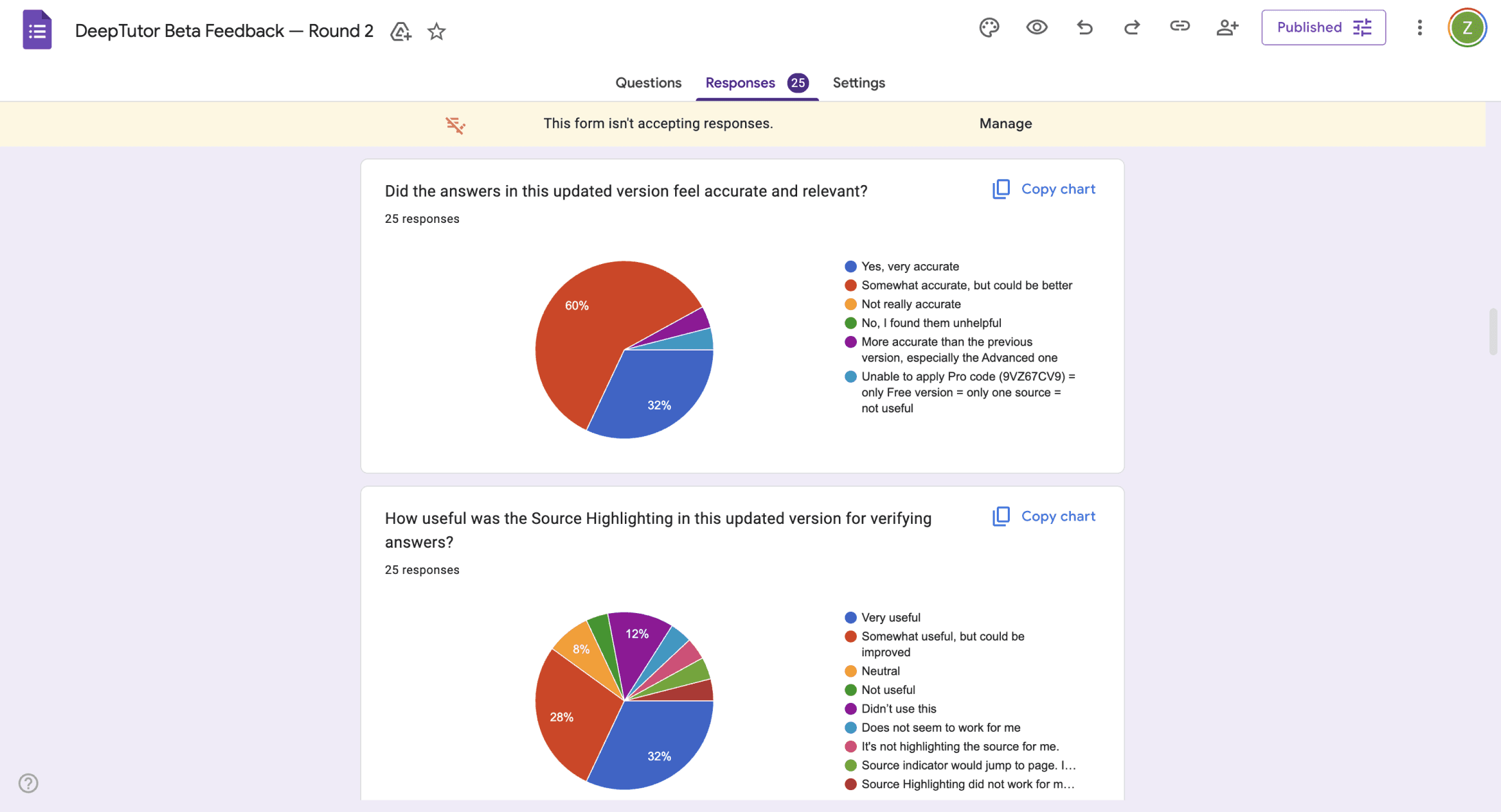
Survey
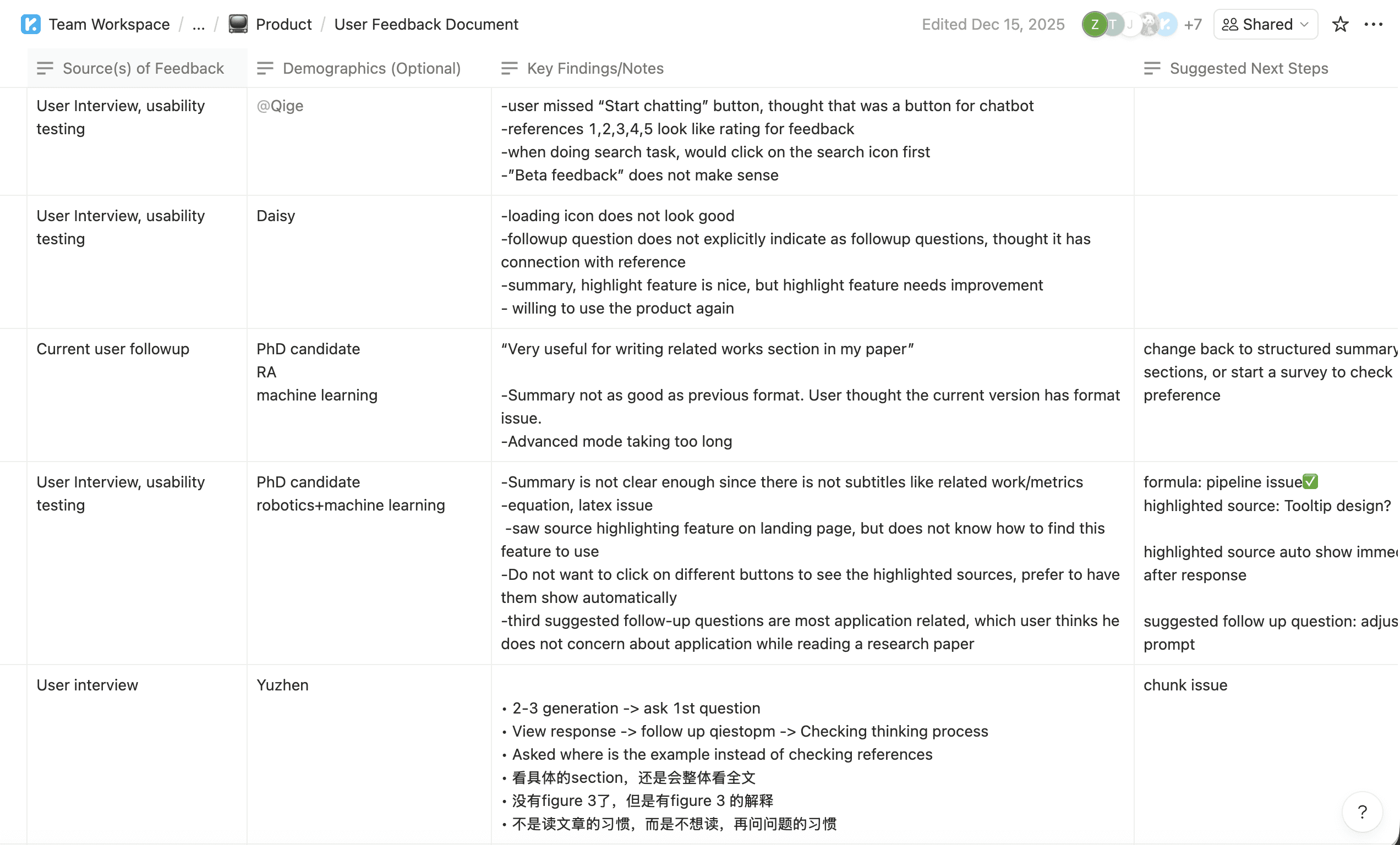
User Interview Result
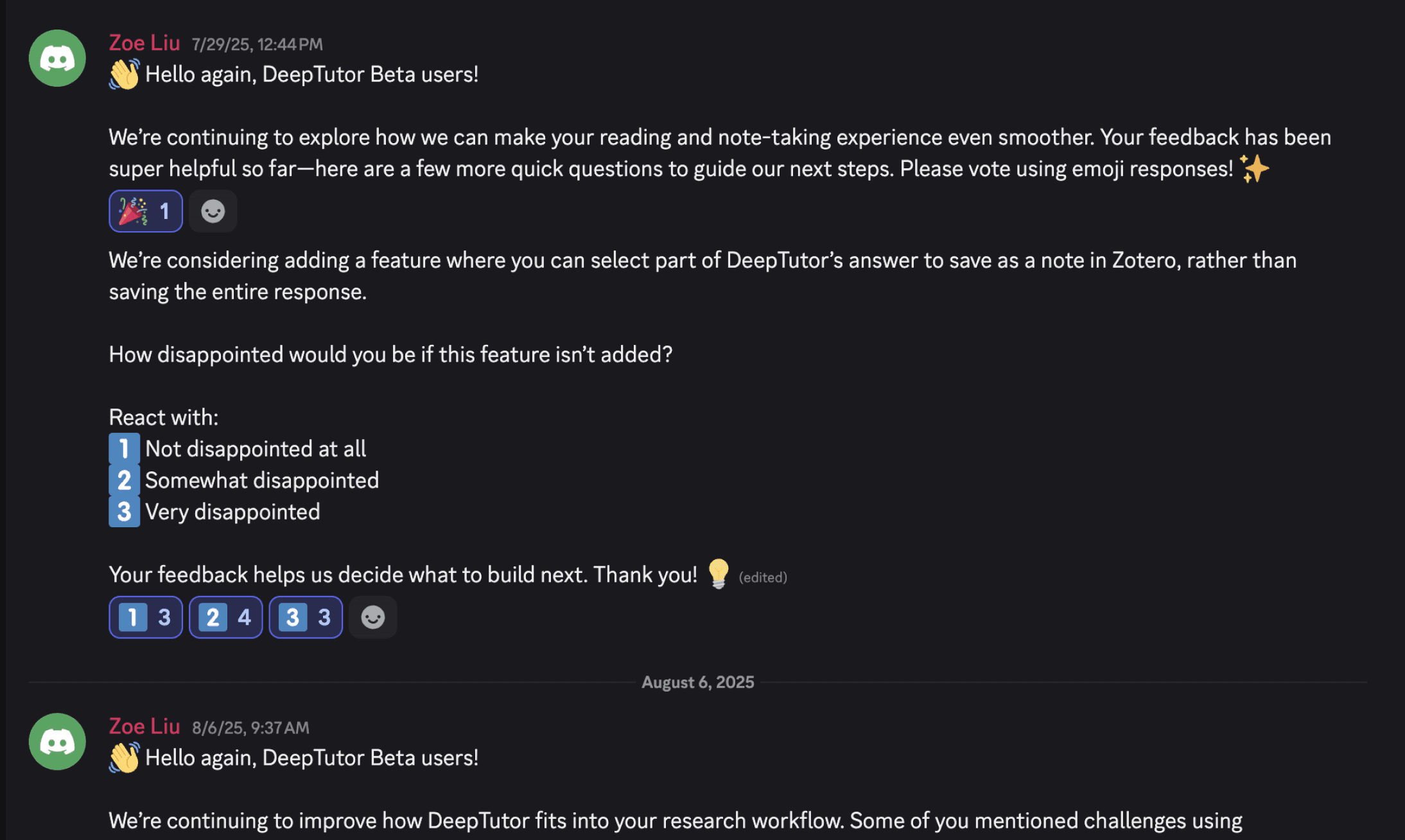
Fake Door Questionnaire

Through the research, we discovered that 95% of users have used AI to assist reading, but their biggest pain point is that:


Switching between Zotero and AI breaks my work flow, lowing my efficiency of reading and writing.

Switching between Zotero and AI breaks users' work flow, lowing their efficiency of reading and writing.

Users want to use AI to assist reading in Zotero.

Users want to use AI to assist reading in Zotero.

Users want to use AI to assist reading in Zotero.

We've decided the direction of product: integrating DeepTutor AI agent with Zotero, the most commonly used paper reader among researchers.

To further understand how to combine the conversational AI agent with the paper reader, we conducted researches on similar products. There isn't any product that combines paper reader and AI agent, so we take reference from Cursor, the most popular and revolutionized vibe coding tool recently.

To further understand how to combine the conversational AI agent with the paper reader, we conducted researches on similar products. There isn't any product that combines paper reader and AI agent, so we take reference from Cursor, the most popular and revolutionized vibe coding tool recently.

AI

AI

Market Research: Cursor

Cursor was solving the similar pain point as DeepTutor, which is users don't want to move back and forth between the code editor and AI tools when conducting AI vibe coding. We aim to build DeepTutor as the cursor for AI vibe reading.

Cursor was solving the similar pain point as DeepTutor, which is users don't want to move back and forth between the code editor and AI tools when conducting AI vibe coding. We aim to build DeepTutor as the cursor for AI vibe reading.

Cursor was solving the similar pain point as DeepTutor, which is users don't want to move back and forth between the code editor and AI tools when conducting AI vibe coding. We aim to build DeepTutor as the cursor for AI vibe reading.

Deciding Information Architecture

How might we combine an AI feature with a mature product?

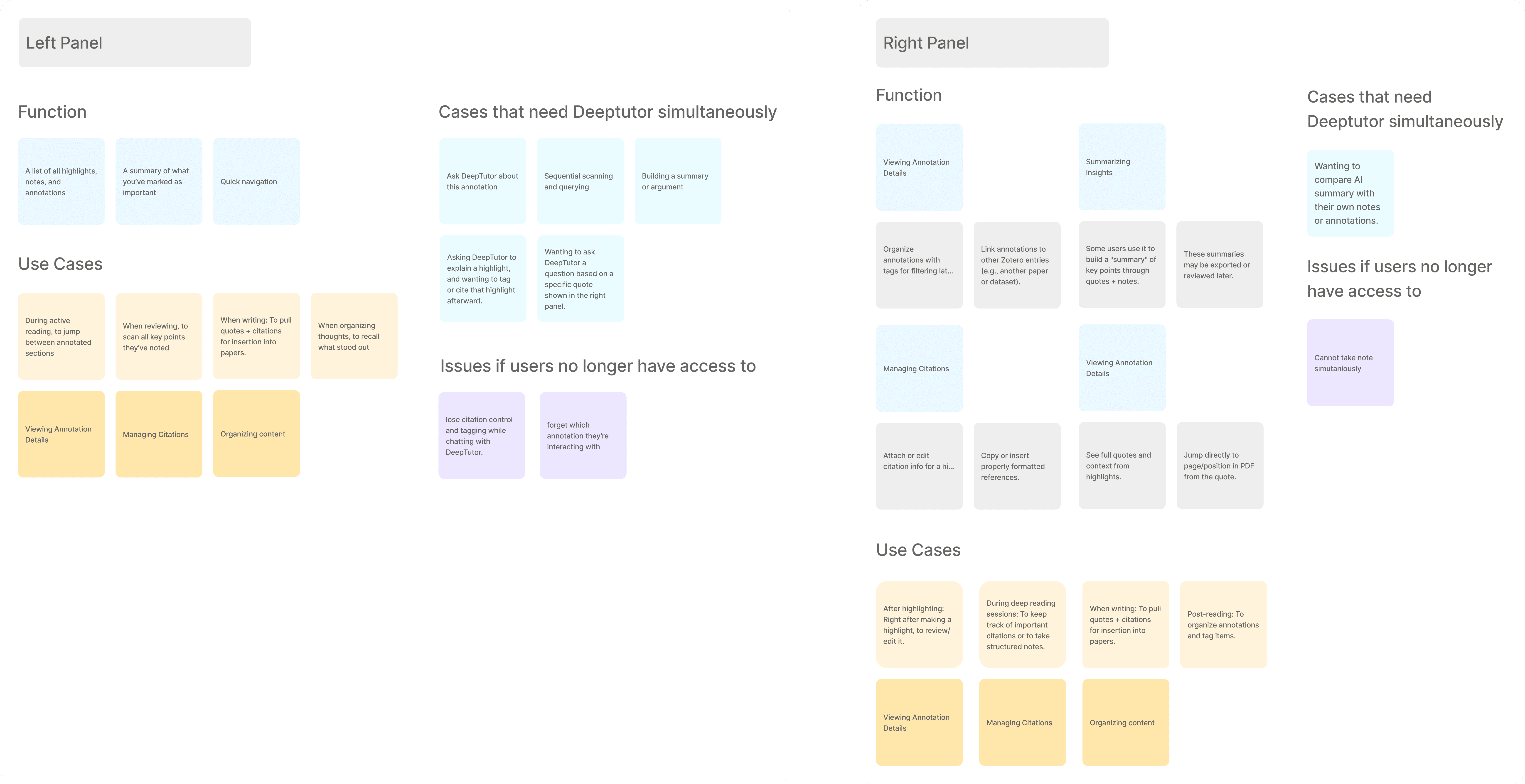
We first decide where the DeepTutor AI agent should go in Zotero, which already have three panels and is already information heavy.
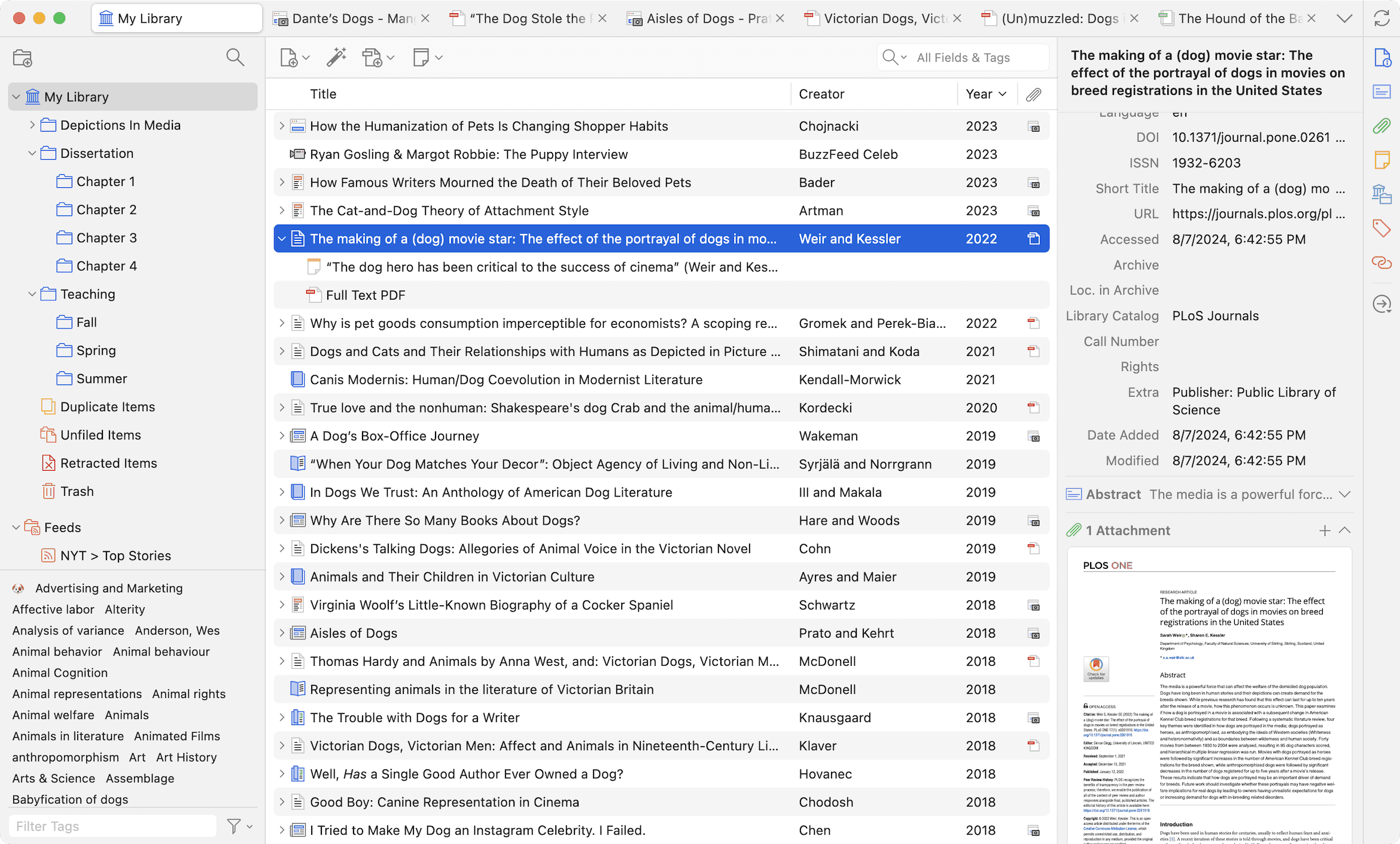
I analyzed the use cases of Zotero's left and right panel, and see the influence of not able to use the panel and DeepTutor simultaneously. It turns out that placing DeepTutor in the right panel has less negative influence.
Then, I use quick sketch to test several layouts, and view it with engineers and product managers.
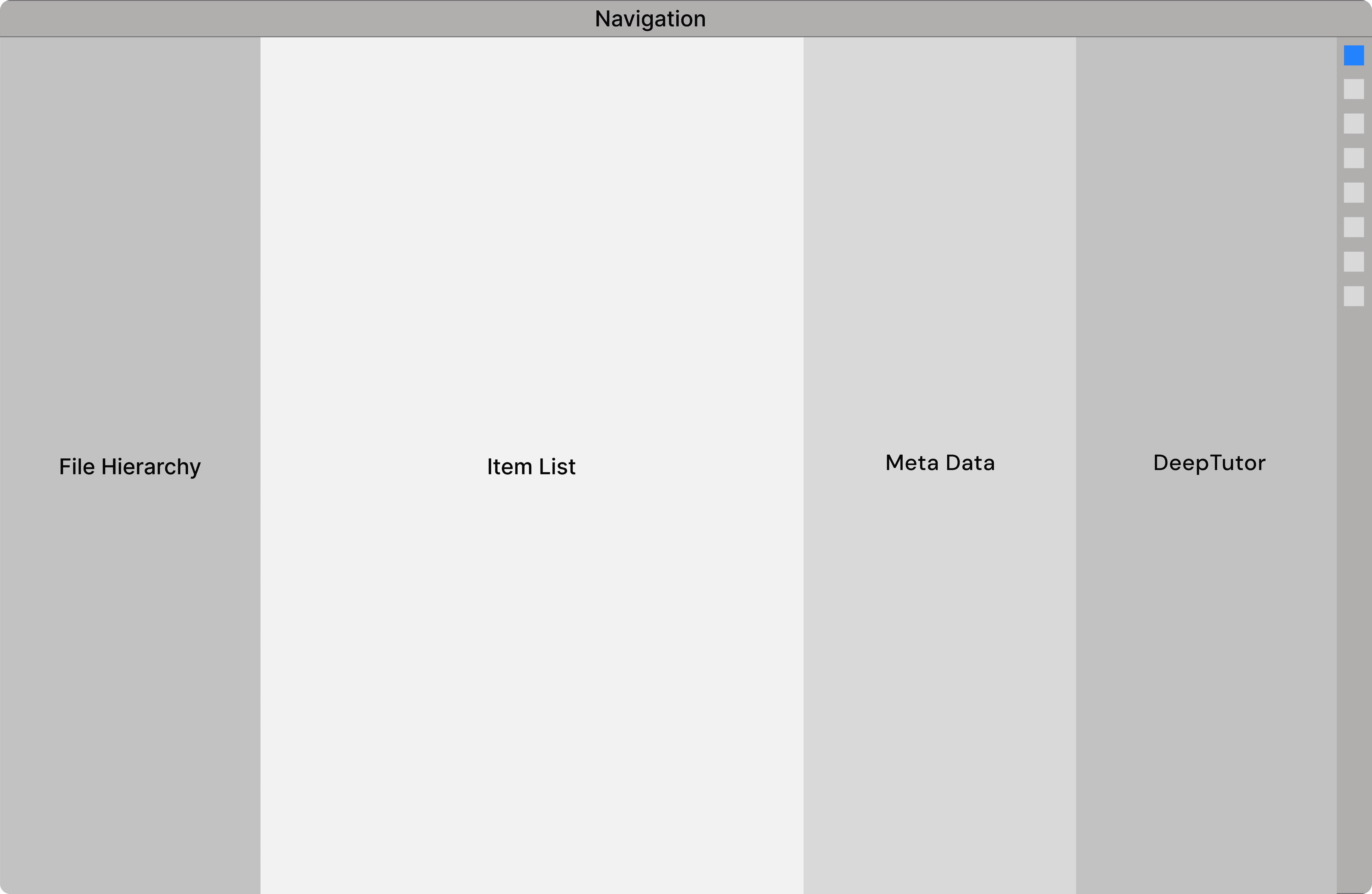
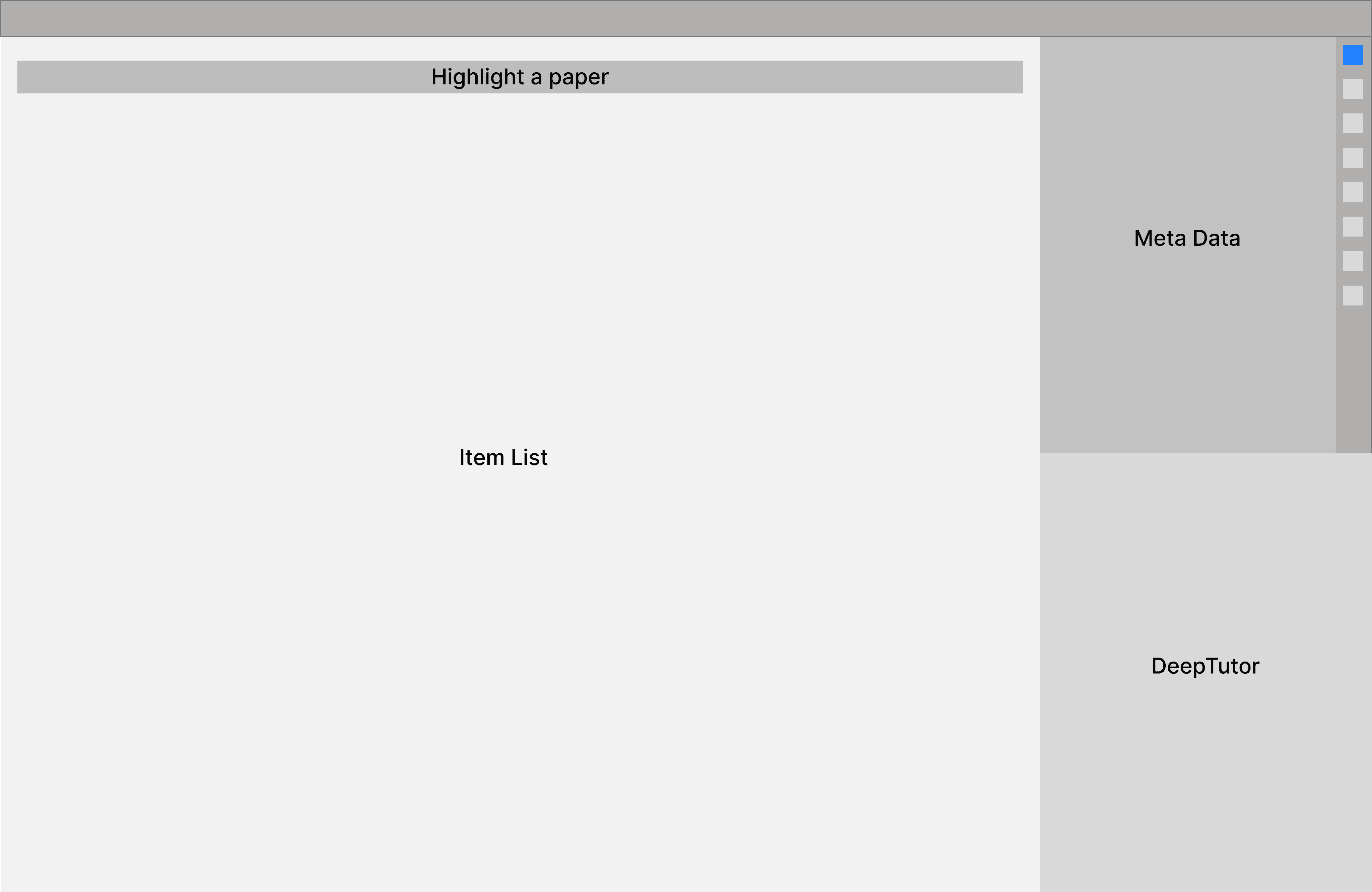
We didn't choose this one because open four panels simultaneously is overwhelming.
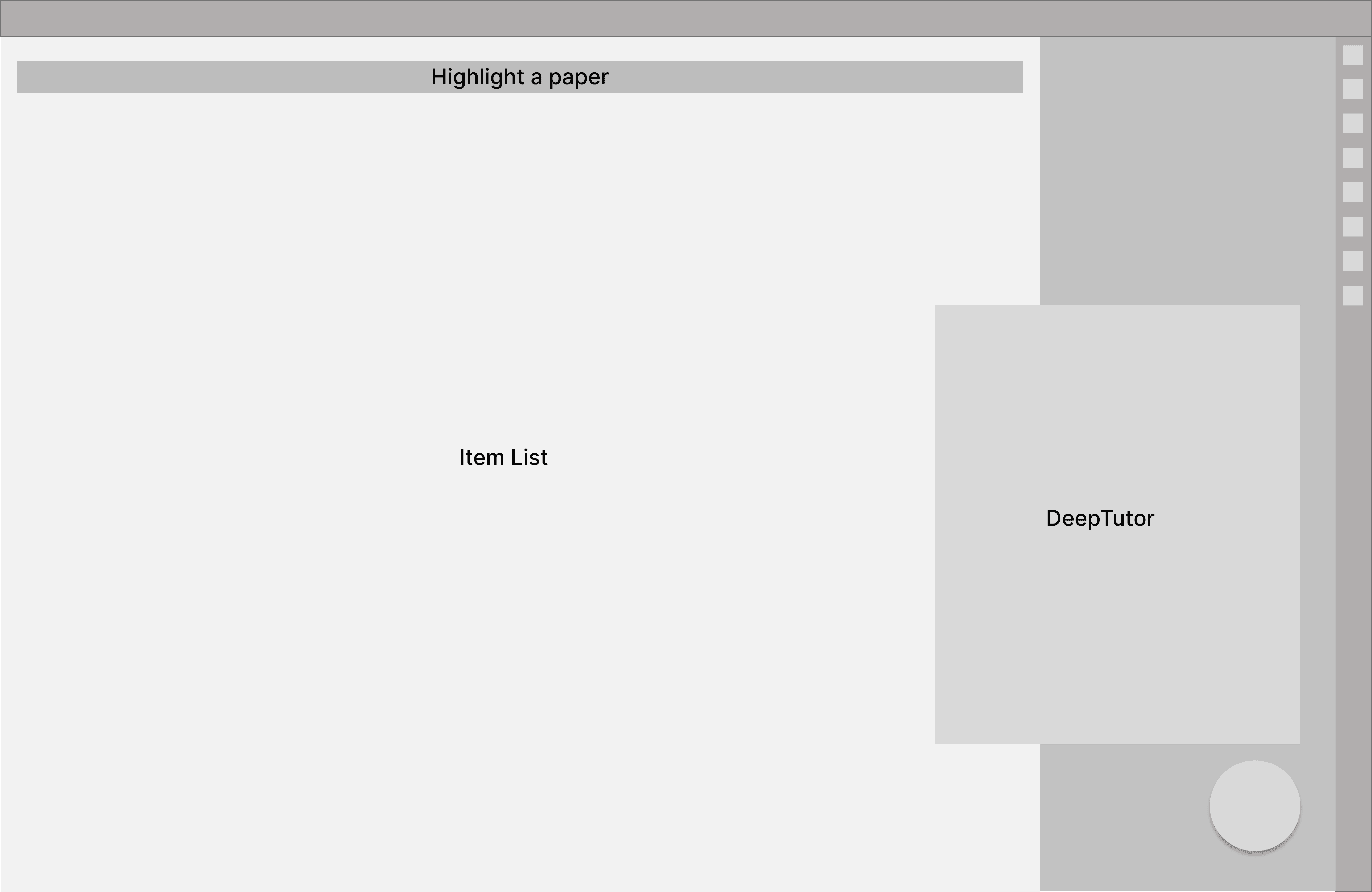
This version is also passed, because putting DeepTutor in the second half of the right panel also looks very crowded.
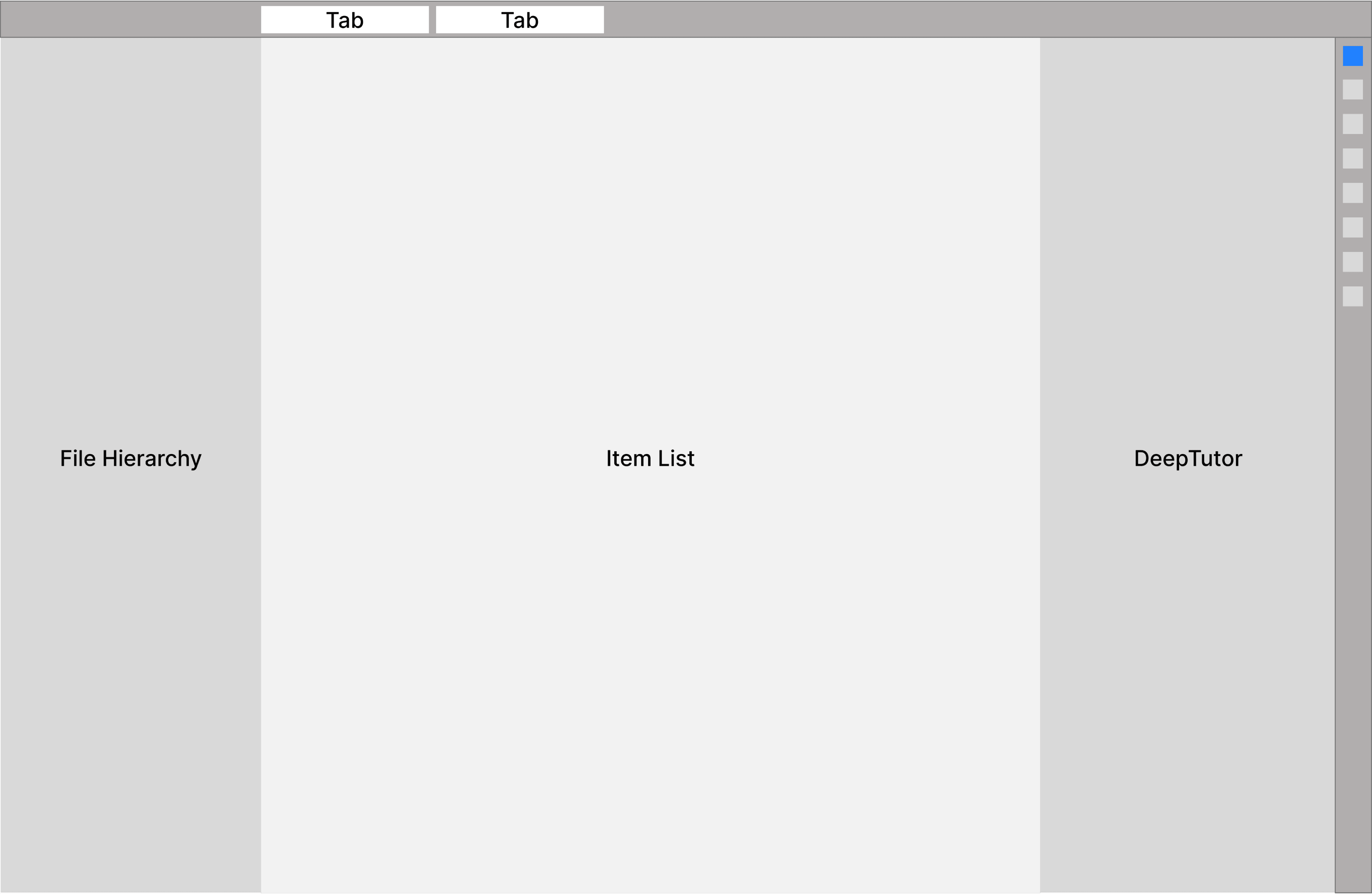
I didn't chose this version because the overlapped DeepTutor panel may distract some information and interaction in the right and middle panel.
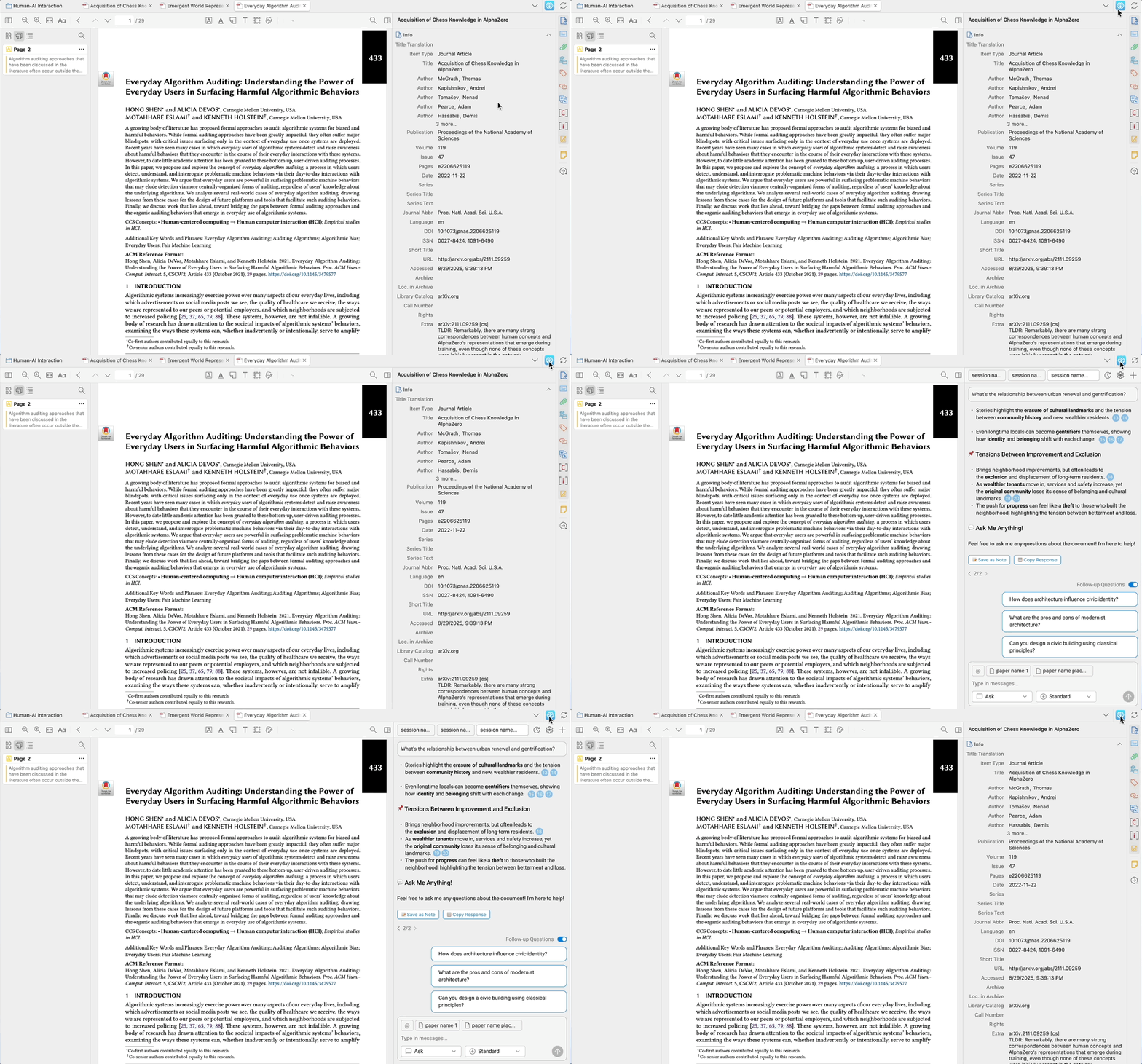
We chose this layout as the final version, where DeepTutor replace the entire right panel

Here is the final layout: Users can toggle between DeepTutor and the right panel by clicking on the DeepTutor icon.
Refining User Experience

How might we ensure good experience on entire journey?

After defining the information architecture, we iterated through a beta release, gathered user feedback, and refined the final product to ensure a cohesive end-to-end experience. The following sections highlight how we designed for intuitive entry, sustained engagement, and trustworthy outcomes.

After defining the information architecture, we iterated through a beta release, gathered user feedback, and refined the final product to ensure a cohesive end-to-end experience. The following sections highlight how we designed for intuitive entry, sustained engagement, and trustworthy outcomes.

Refining User Experience: Easy Entry

How might we simplify the start conversation steps?

Beta Version Problem: Start Conversations and Add Contexts is Complicated

In the beta, users have to click on the "create a new session button to add context and select models in the pop-up.

Users can add context to a conversation by two methods:

In the beta, users have to click on the "create a new session button to add context and select models in the pop-up.

Drag

Search

Users can add context to a conversation by two methods:

Both methods takes more than 5 seconds, and users are seeking a simpler and quicker way to add context and start a new conversation.

Both methods takes more than 5 seconds, and users are seeking a simpler and quicker way to add context and start a new conversation.

Solution: Simply Starting a Conversation
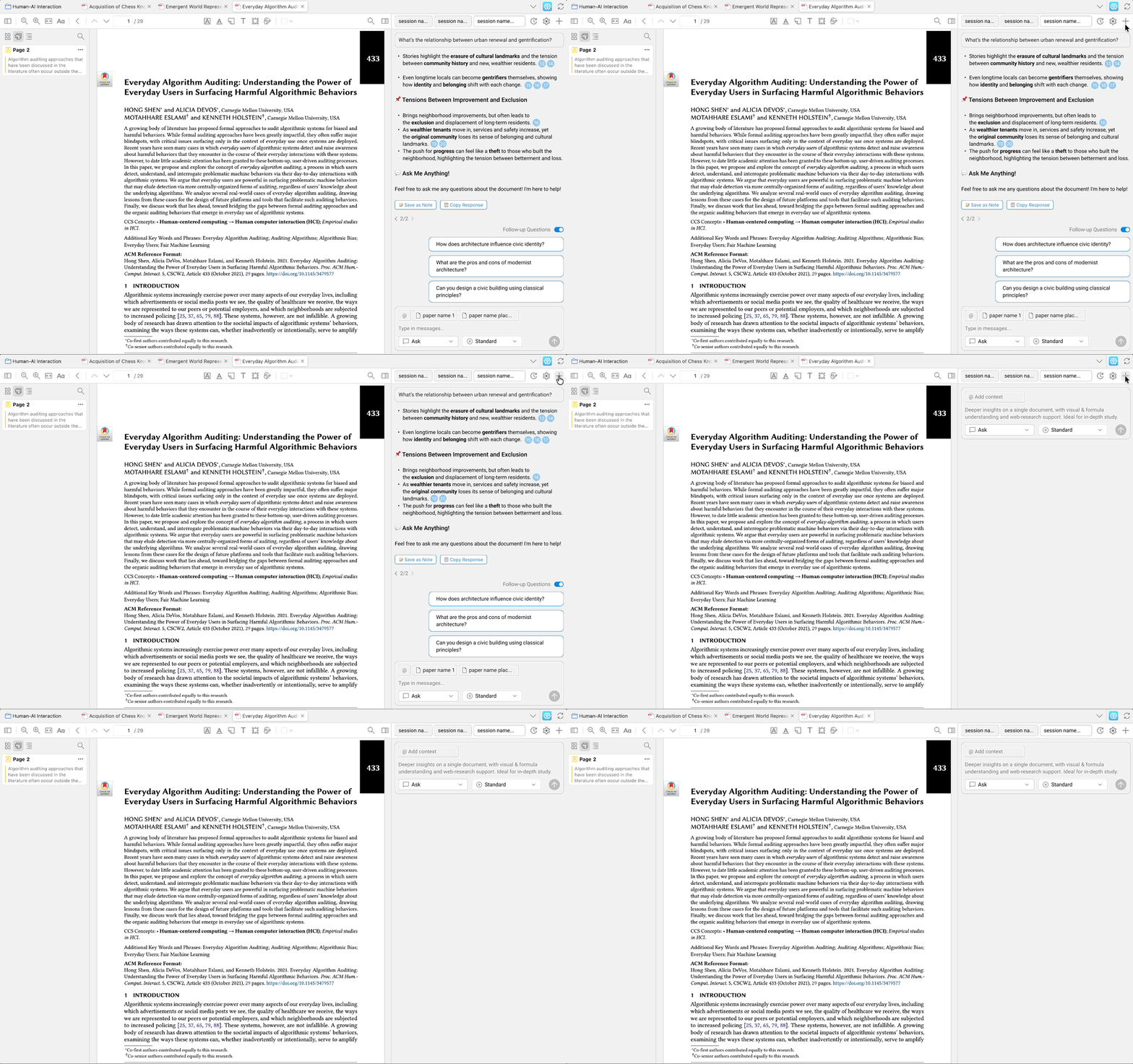
I first simplied the starting a conversation by removing the "create a new session" pop-up. Instead, users can simply click on the add icon.

I first simplied the starting a conversation by removing the "create a new session" pop-up. Instead, users can simply click on the add icon.

Solution: Simply Adding Context

I further simply the adding context process by designing two solutions.

I further simply the adding context process by designing two solutions.

Solution 1

Auto-add

If users create a new conversation when a paper is shown on the middle panel, the paper will be auto add as context.


We made this design because we noticed that in 80% of cases, users will want to add the paper they are reading as the context.
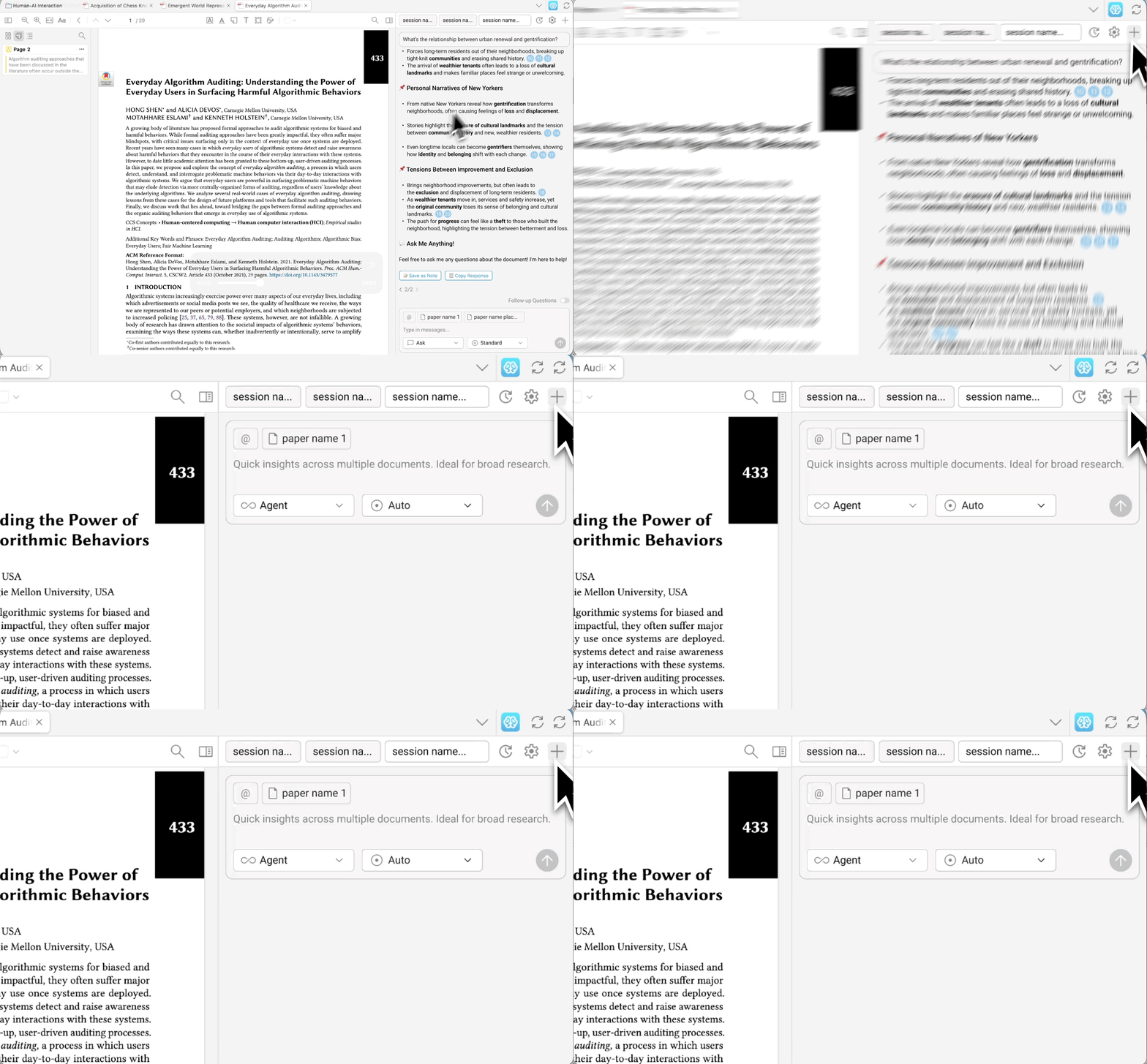
If users create a new conversation when a paper is shown on the middle panel, the paper will be auto add as context.

We made this design because we noticed that in 80% of cases, users will want to add the paper they are reading as the context.

Solution 2

Slash Command

As shown here, user type a slash, then, choose “add current paper as context,” hit enter, and the paper is instantly added.

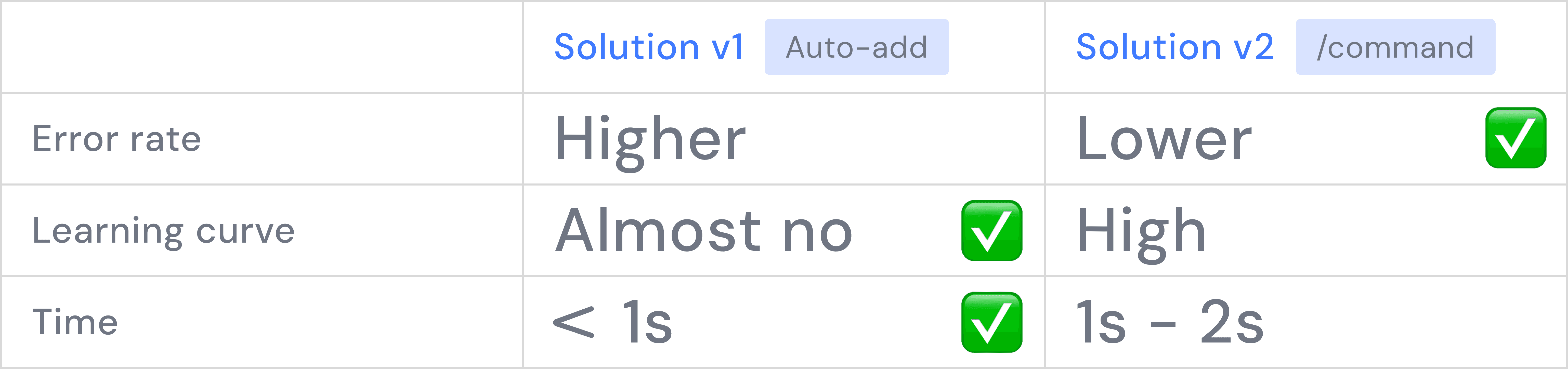
Because of time limit, we need to prioritize a solution to implement, so we compare the pros and cons of the two solutions:

Because of time limit, we need to prioritize a solution to implement, so we compare the pros and cons of the two solutions:

Error rate

Solution 1 has a higher error rate than Solution 2, as automatic triggers introduce more errors than manual triggers.

Solution 1 has a higher error rate, as automatic triggers introduce more errors than manual triggers.

Solution 1 has a higher error rate, as automatic triggers introduce more errors than manual triggers.

Learning curve

While solution 2 offer efficiency for tech-savvy researchers, they present a steeper learning curve for our broader audience. To ensure accessibility for all researchers, we opted for a more intuitive interaction model.

While solution 2 offer efficiency for tech-savvy researchers, it present a steeper learning curve for broader audience.

Time

Solution 1 has a higher error rate than Solution 2.

Solution 1 has a shorter time compare to Solution 2.

Conclusion

After the comparison, Solution 1 appears to be the better solution, but we still need to solve the issue that solution 1 has a high error rate.

Comparison shows that solution 1 is better, but I still need to solve the issue that solution 1 has a high error rate.

After the comparison, Solution 1 appears to be the better solution, but we still need to solve the issue that solution 1 has a high error rate.

After the comparison, Solution 1 appears to be the better solution, but we still need to solve the issue that solution 1 has a high error rate.

We make it easier to correct the error. That is, we enable users easily remove the paper they auto-add as the context. Users can just hover on the paper and click the close icon to remove the paper.

We make it easier to correct the error. That is, we enable users easily remove the paper they auto-add as the context. Users can just hover on the paper and click the close icon to remove the paper.

We make it easier to correct the error. That is, we enable users easily remove the paper they auto-add as the context. Users can just hover on the paper and click the close icon to remove the paper.

We make it easier to correct the error. That is, we enable users easily remove the paper they auto-add as the context. Users can just hover on the paper and click the close icon to remove the paper.

Result

Time of adding a context drops from

Time of adding a context drops

~5s

to

<1s

from

Refining User Experience: Sustained Engagement

How might avoid user drop off during the answer generation?

Refining User Experience: Sustained Engagement

How might avoid user drop off during the answer generation?

Beta Version: Users Dropoff While Generating Answers

Beta version testing shows that 28% of users leave the product before the first answer is generated. This is because:

  • The average generation time is 60 to 90 second, significantly longer than the waiting time users are comfortable with.

  • There is no clear progress indicator, and users cannot do any other actions while the answer is generating.
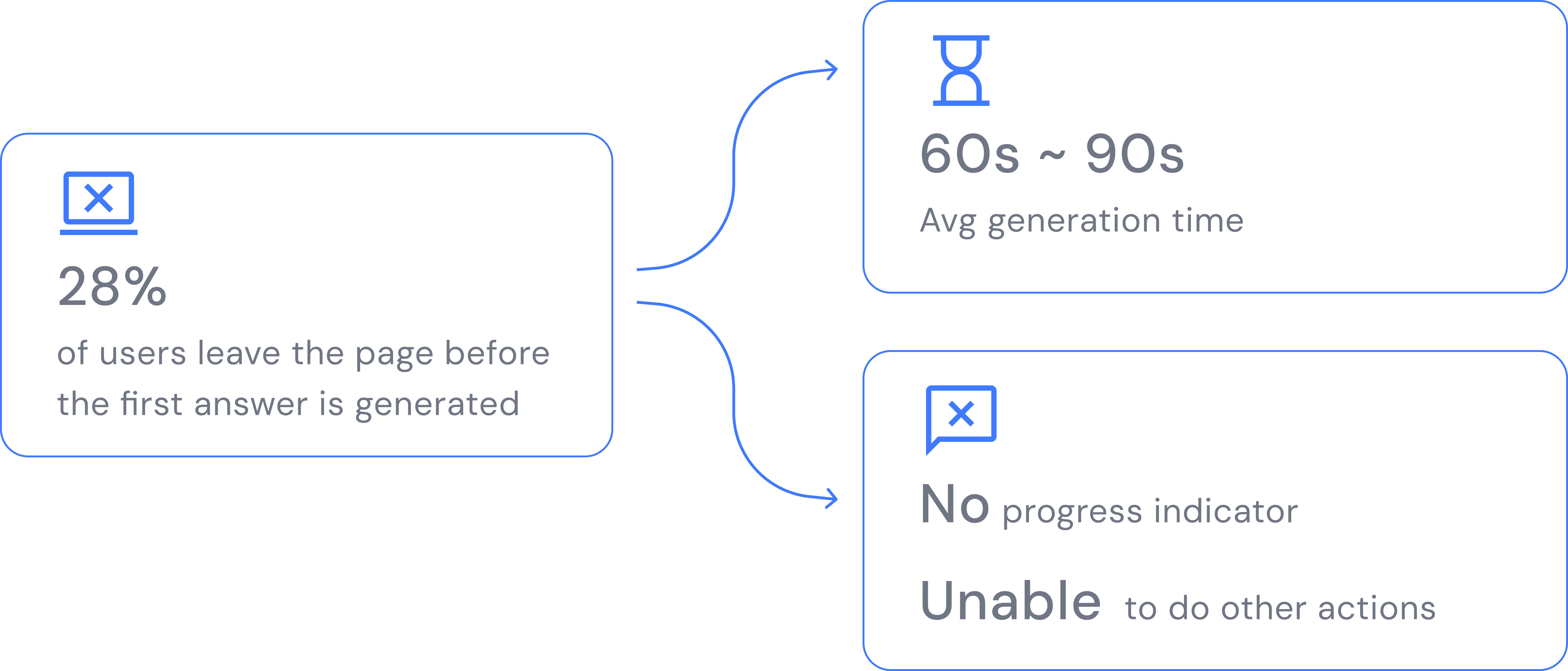
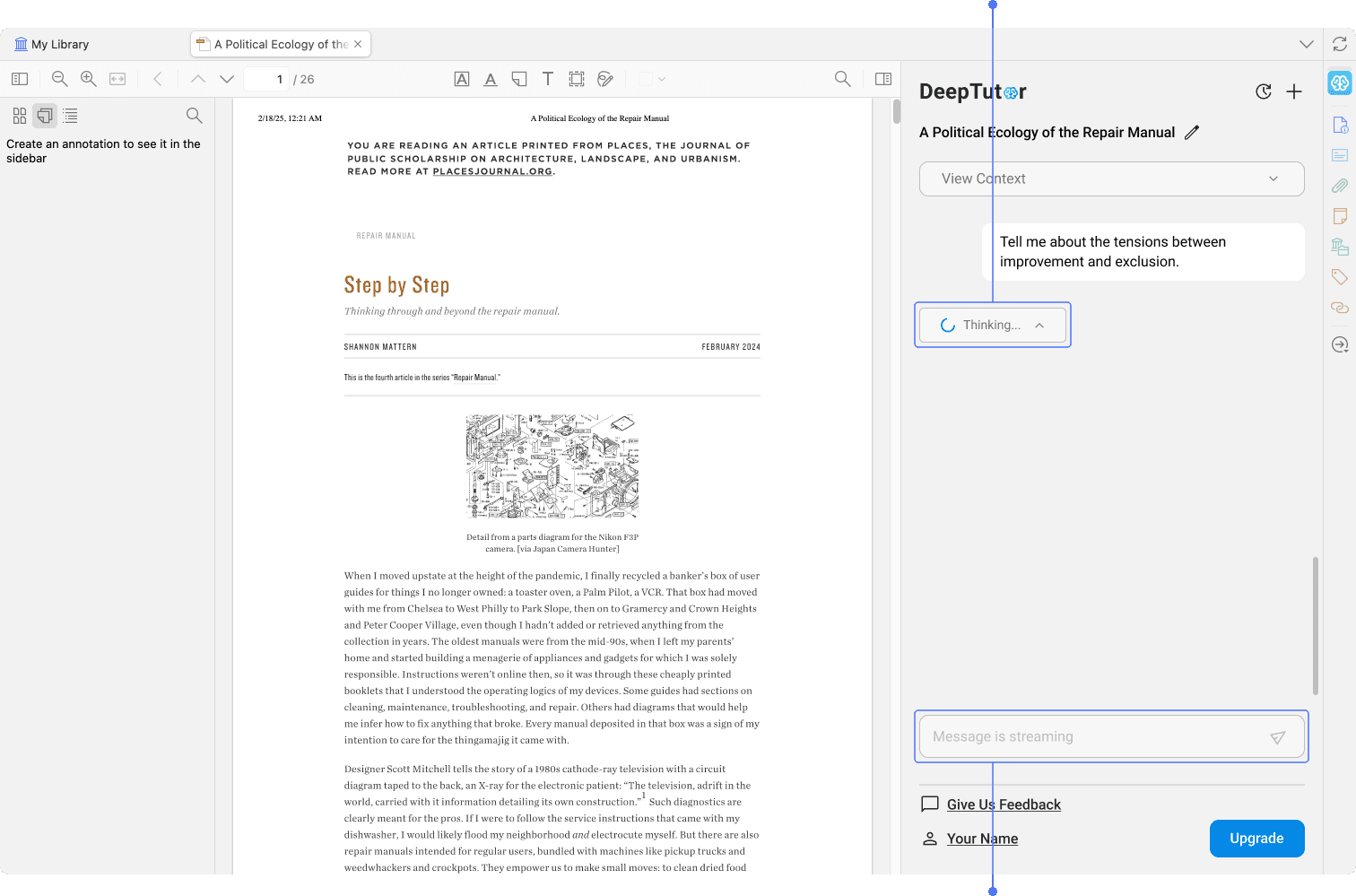
No progress indicator

Unable to take other actions while an answer is generating

I talked to the engineer team, but they said it is hard to shorten the generating time. So, I decide to use better design to make users feel like their waiting time is not long.

I talked to the engineer team, but they said it is hard to shorten the generating time. So, I decide to use better design to make users feel like their waiting time is not long.

Solution 1: Divide Generation Steps into Sub-steps

In the beta version, the answer is displayed only after the entire response, including citations and follow-up questions, has finished generating, resulting in wait times longer than users are comfortable with.

Show the entire answer

Show answer text

Show citation

Show follow-up questions

To address this, I broke the process into three sub-steps and rendered each one immediately after it finishes generating.

Because each sub-step takes less time, users always have something to engage with while the remaining content is being generated.

To address this, I broke the process into three sub-steps and rendered each one immediately after it finishes generating.

Because each sub-step takes less time, users always have something to engage with while the remaining content is being generated.

Solution 2: Clearer Indicator and User Control

I also add a clear progress indicator and give users more control while generating by
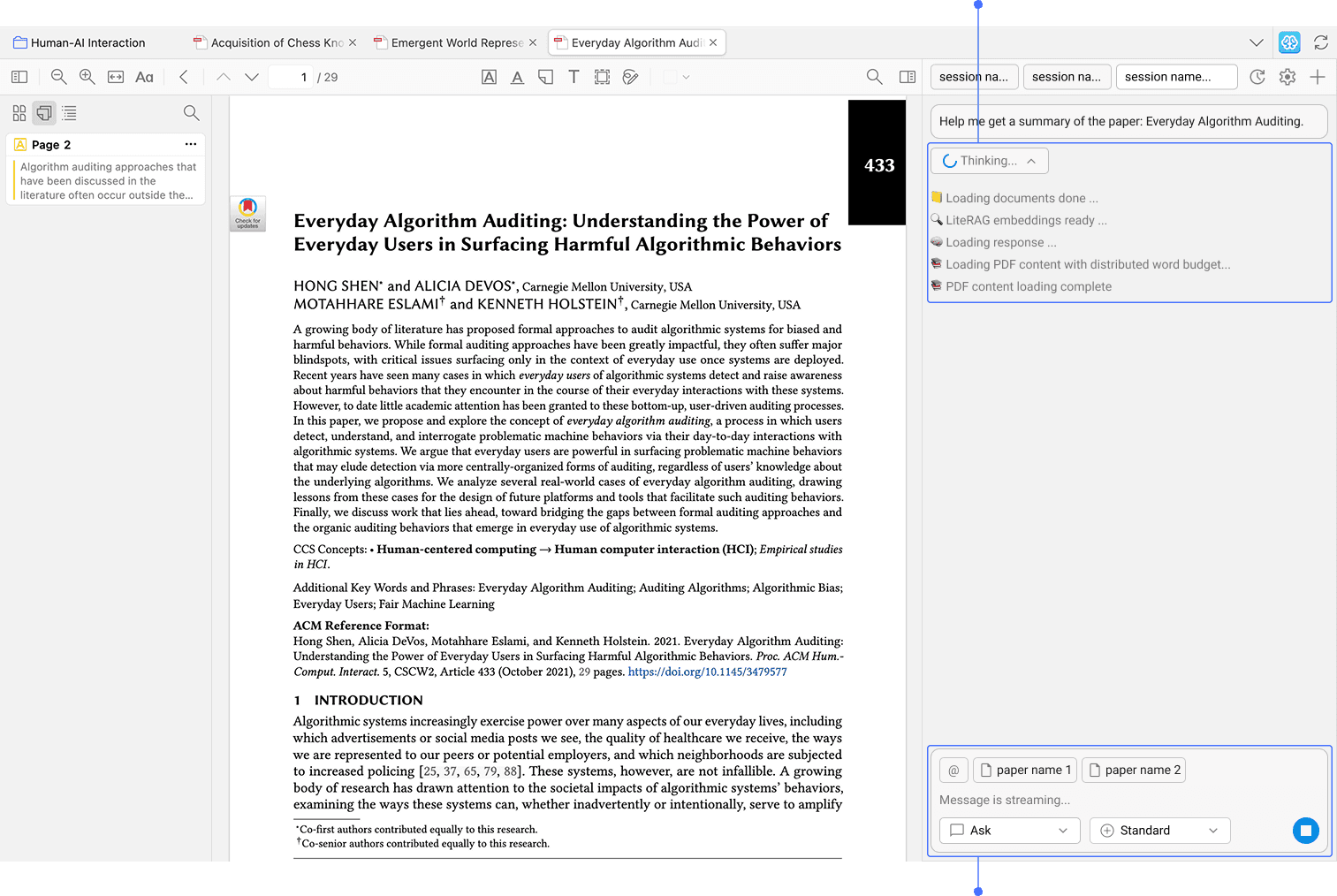
Clear progress indicator

Users can type in a new questino or pause the generation process

Allow type in a new questions or pause

Result

Drop-off rate before the first question is generated drops from

Drop-off rate before the first question is generated drops

28%

to

to

4%

from

Refining User Experience: Trusted Output

How might we let users believe the answers are trustworthy ?

Our target users, researchers, has mentioned that, they really care about accuracy when reading papers, and biggest concern of using other AI tools is that AI hallucinate the answer. It also bother them because they cannot find where the answer come from, which bring them trouble since they want to quote something from original paper.
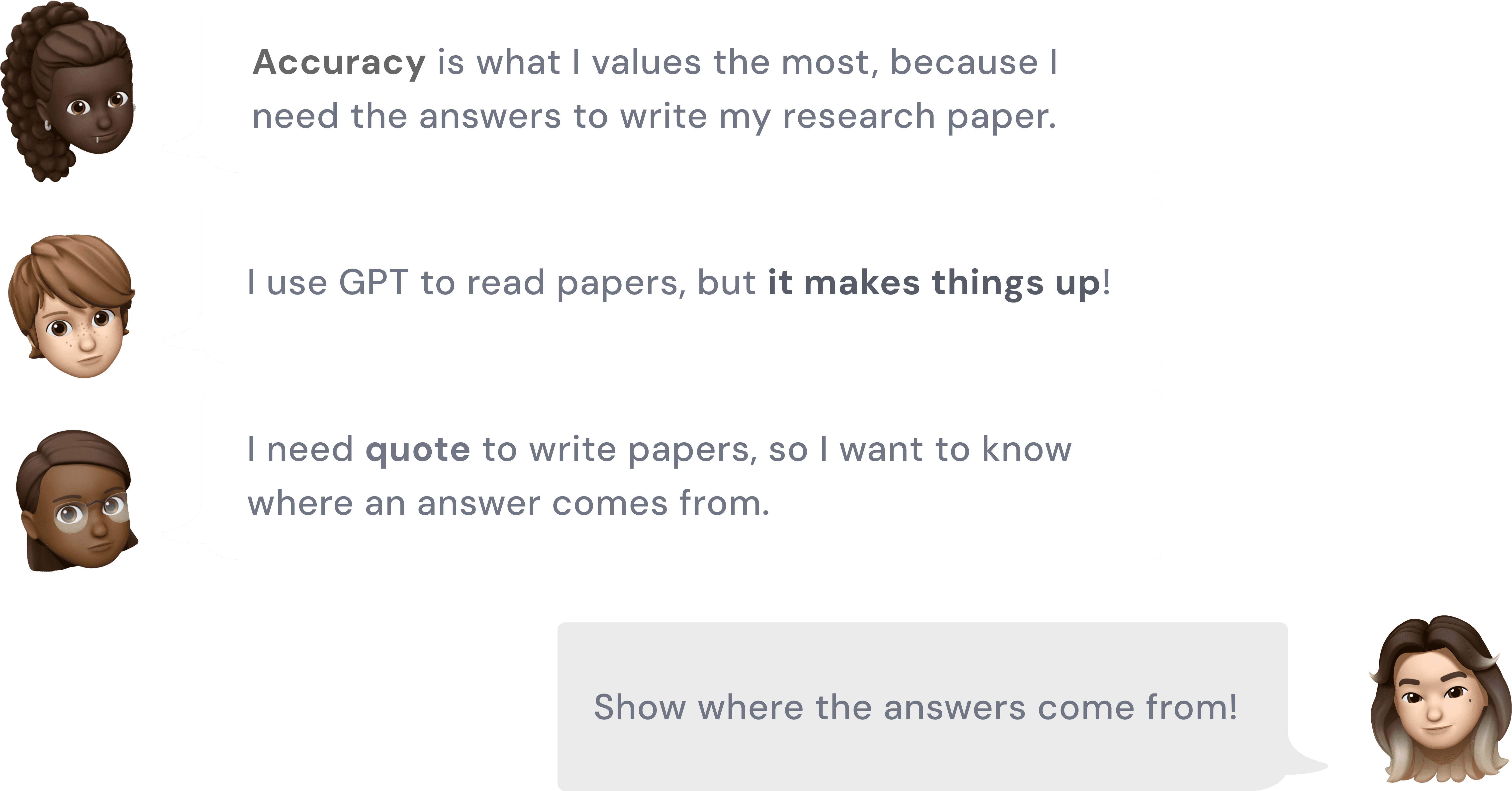
To meet their needs, I want to make sure that users can see the evidence of the answers. I design citation marks in the answer, so users can click on the citation to highlight where the answer comes from in the middle panel.

Result

highlight feature helpful.

77%

of users find the highlight feature helpful.

of users find the

of users find the highlight feature helpful.

Redesigning User Interface

How might we design better interfaces?

Alongside iterating on the user experience, I continuously refined the interface as we evolved from beta to the final product. I focused on 2 aspects, showing information more effeciently and refining the aesthetic and consistency.

How might we show information more effective?

Beta version
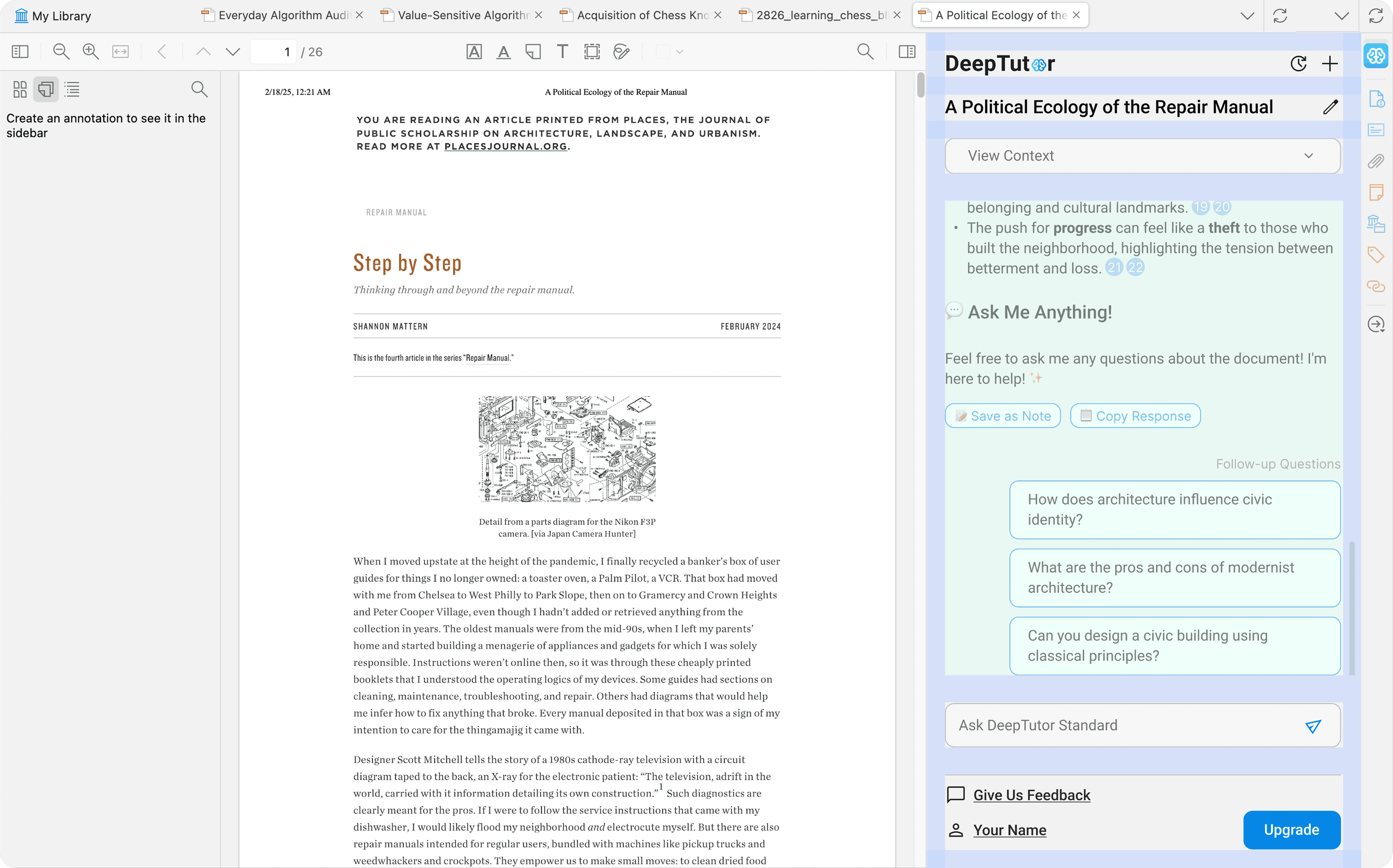
large margin → less effective information shown

Final version
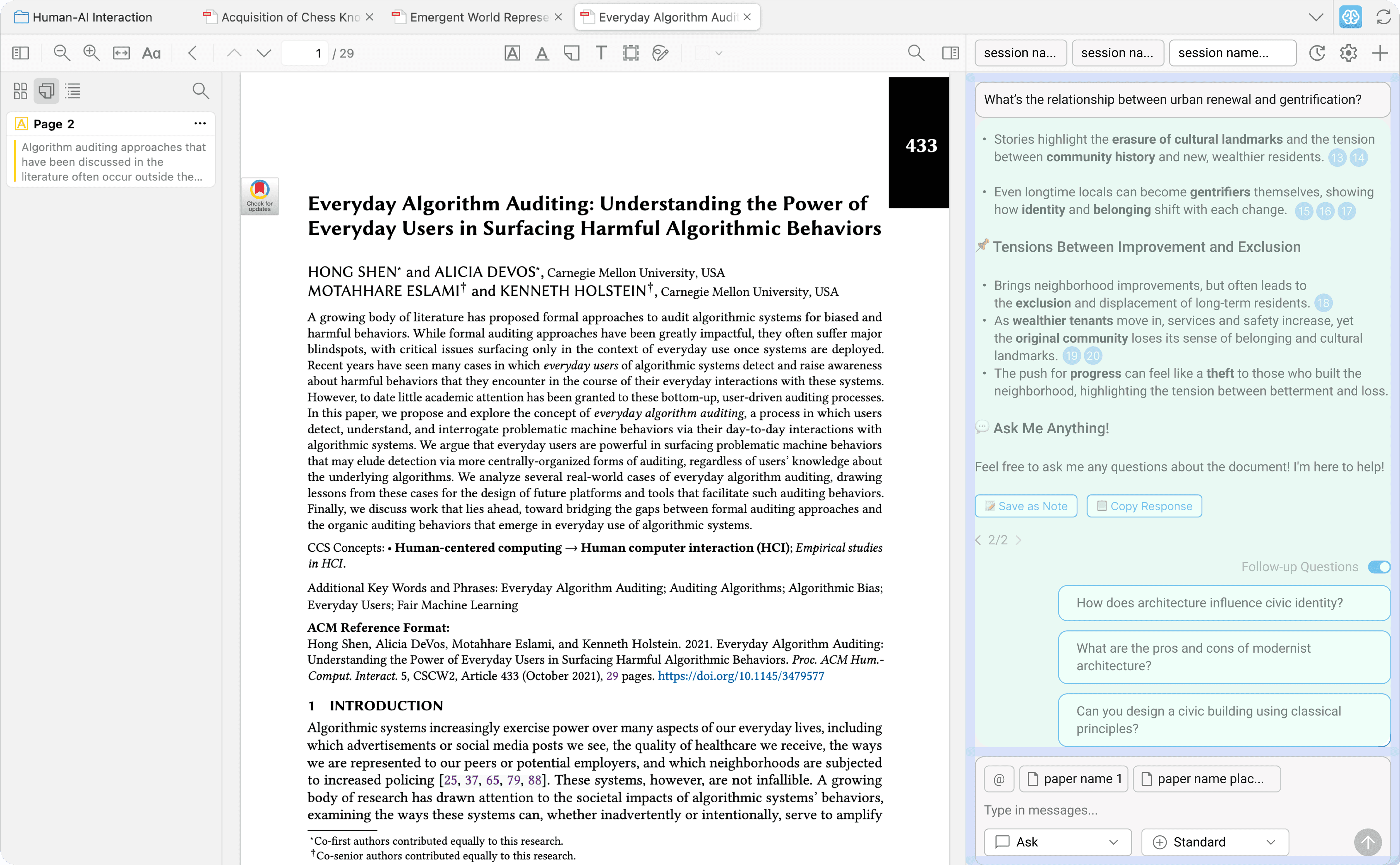
Smaller margin → more effective information shown

Beta version
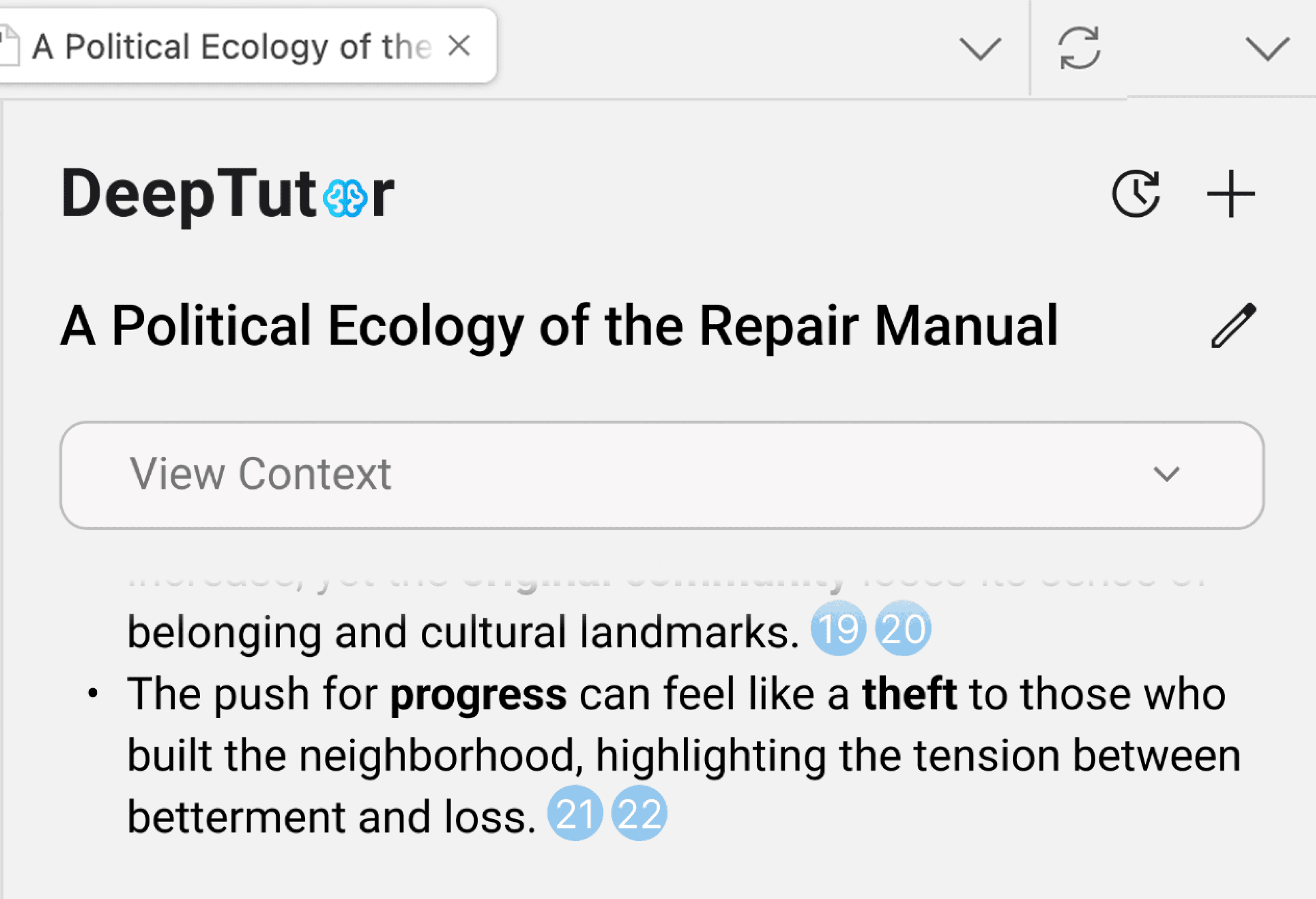
What question I just asked???

Easy to lose track of the question asked

Final version
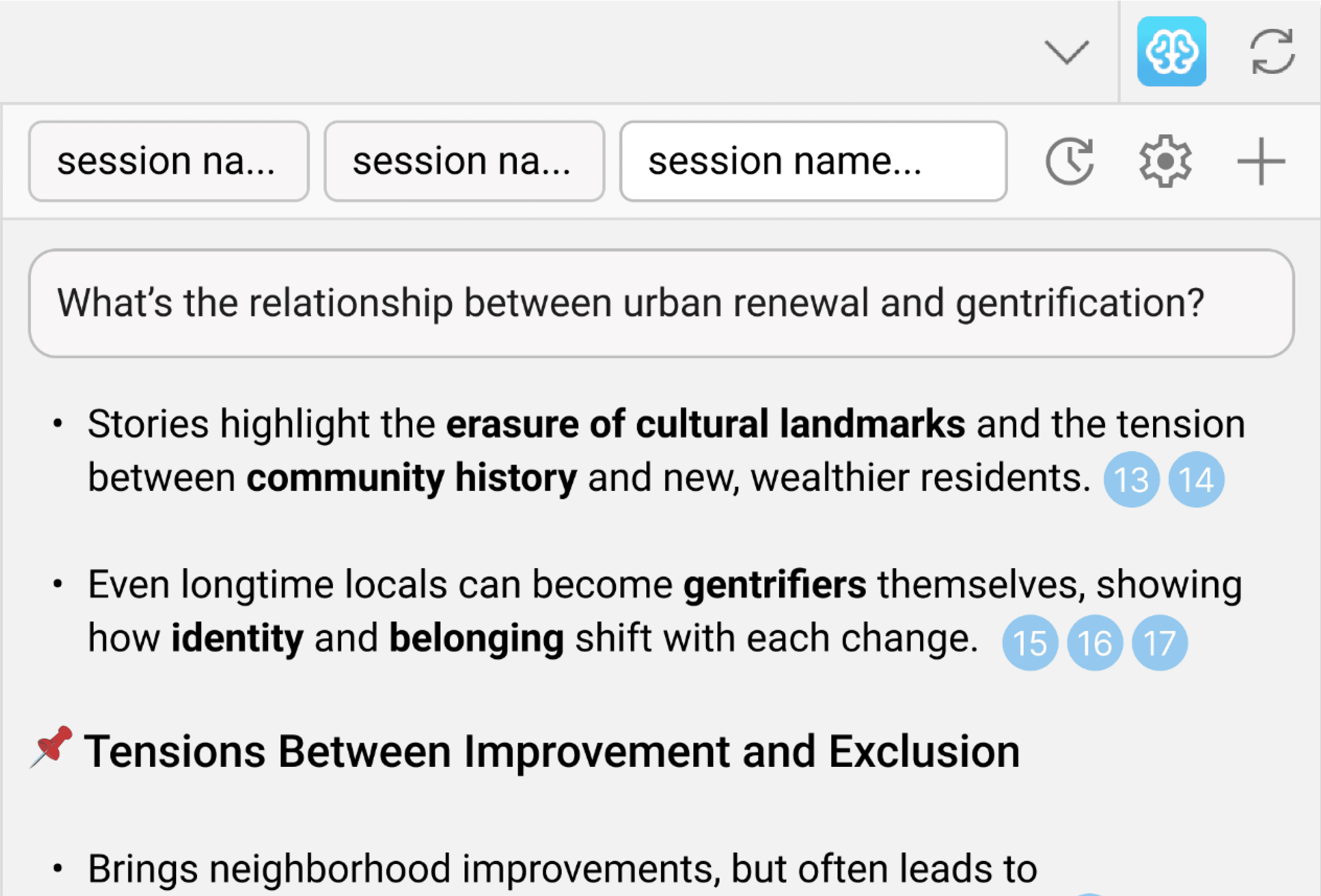
Can always refer to the question

Can always refer to the question

Question fixed on the top → can always refer to the question

Beta version
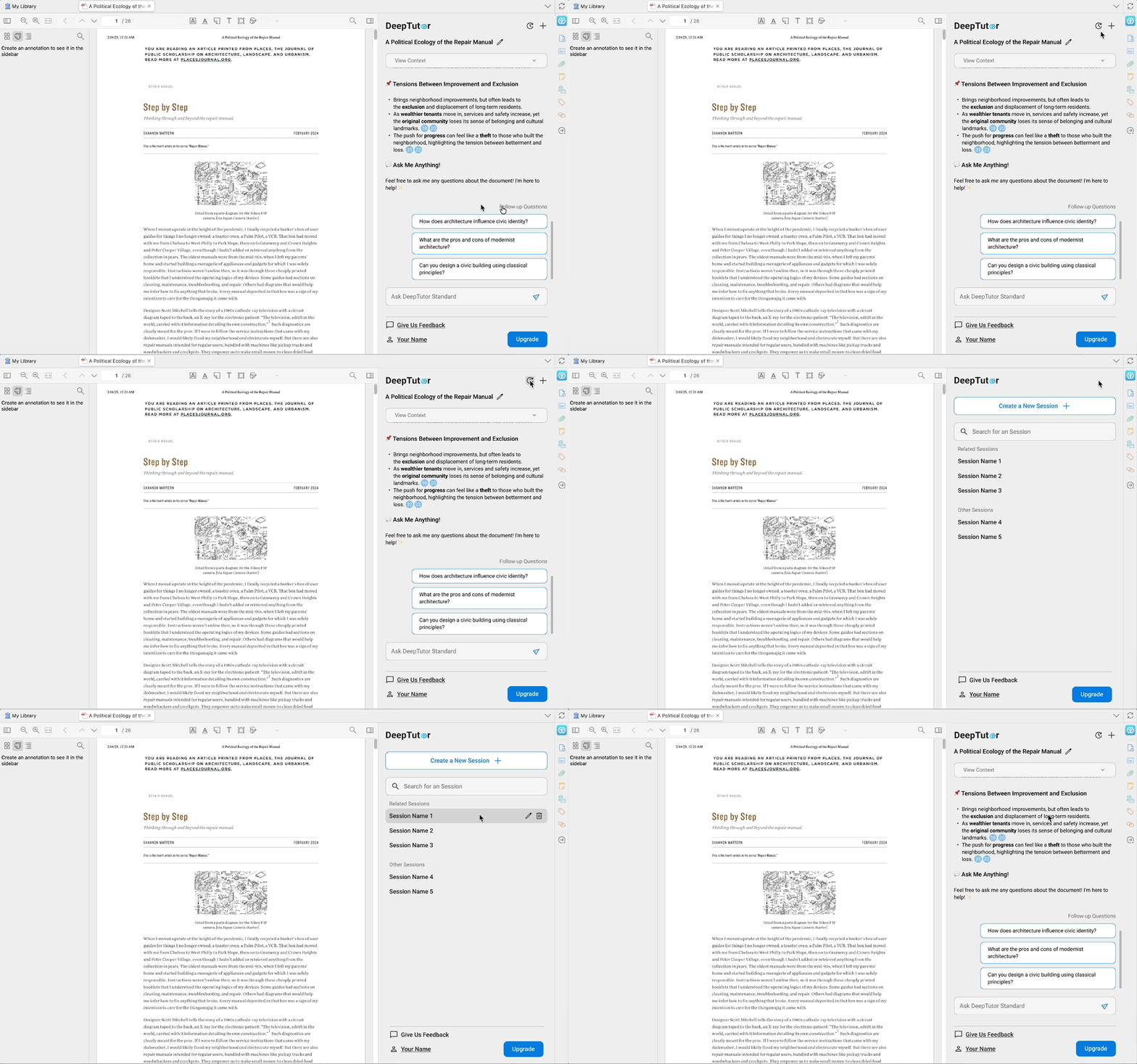
Session history page and conversation page is seperated, creating additional frictions.

Final version
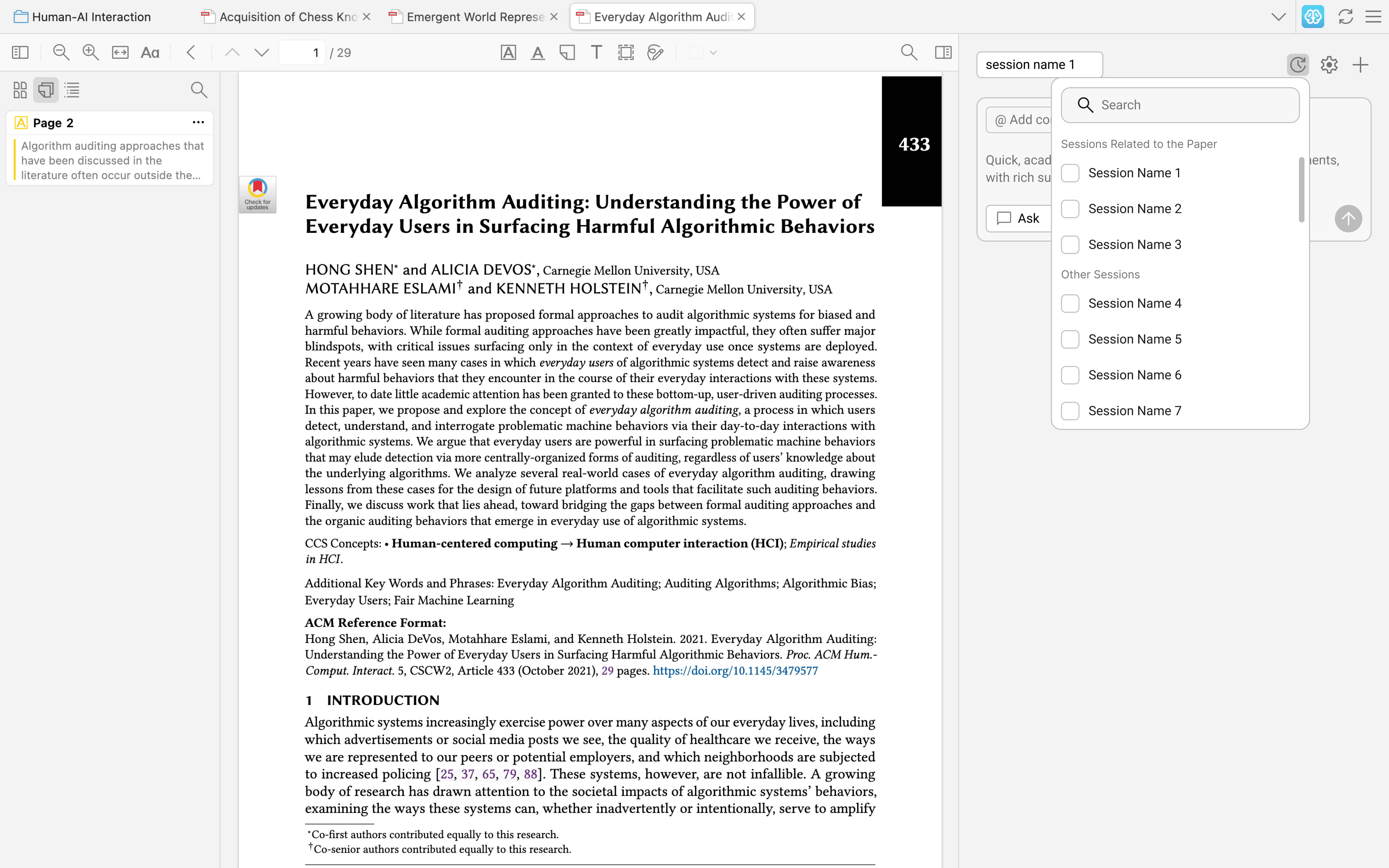
Change session history as a pop-up in the conversational page, reducing the needs of switching back and forth.

How might we improve UI's aesthetic and consistency?

Beta version
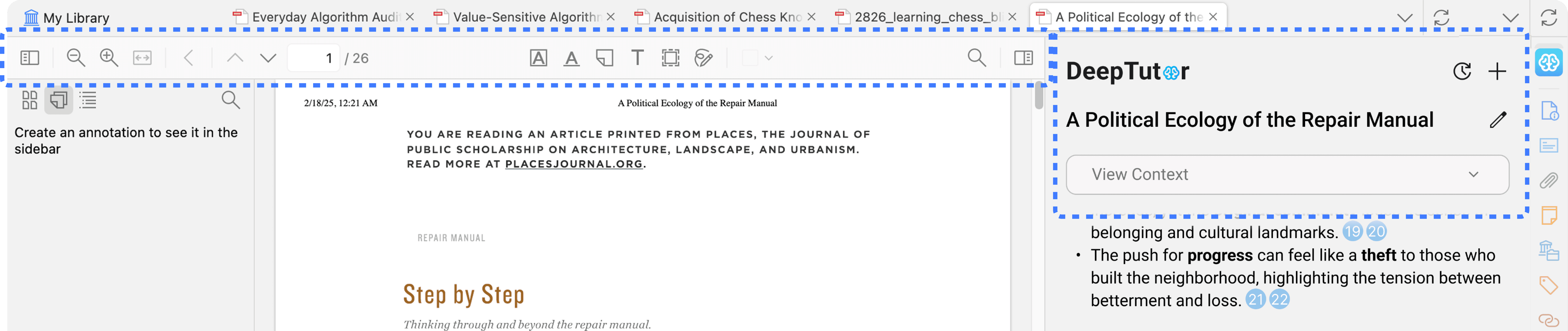
The top tool bar of right panel is inconsistent with the middle and the left panel.

Final version
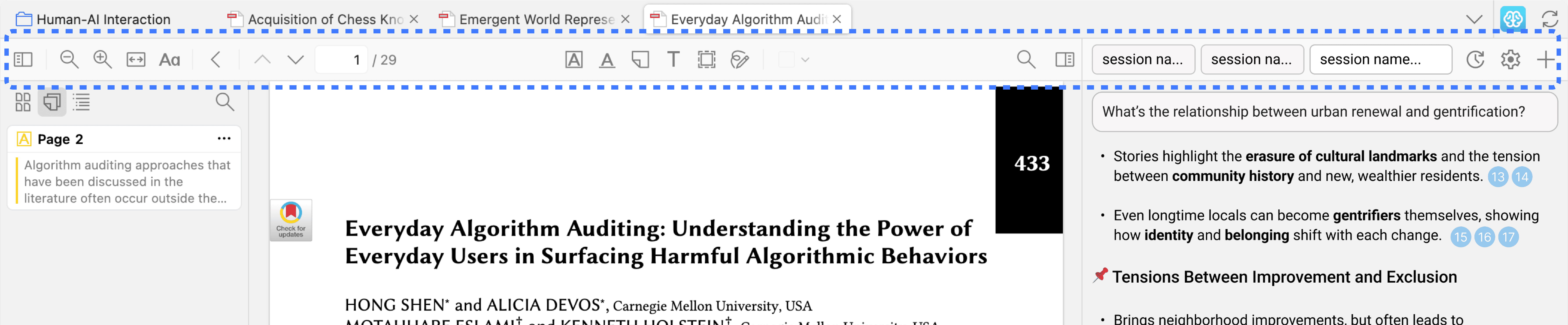
Make the right panel top tool bar visually consistent with the left and middle panels.

With the adjustments on the beta version, the UIs of the final version successfully show information more effecienctly and looks more aesthetic and consistent.

With the adjustments on the beta version, the UIs of the final version successfully show information more effecienctly and looks more aesthetic and consistent.

Implementation

How might we collaborate with the engineers and increase implementation efficiency?

Besides the design, I also participated in the implementation process. Since we want to launch the product from scratch in only three months, its important to keep the implementation progress fast.

Collaboration
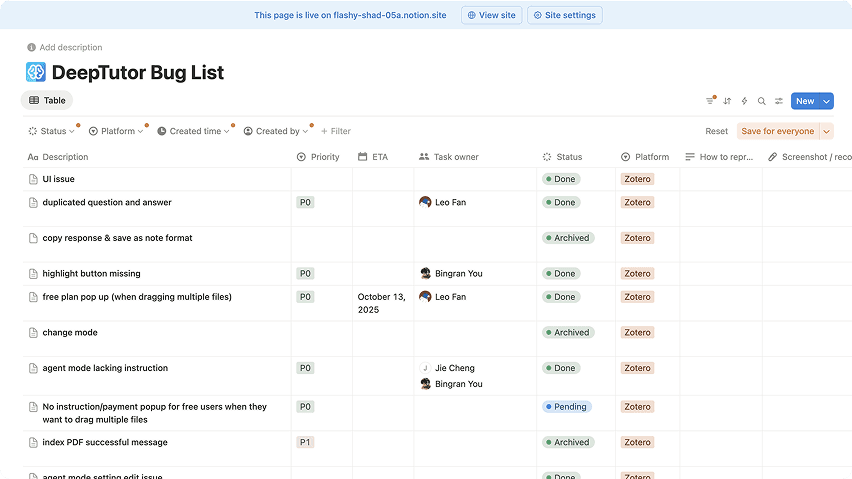
Tracking implementing issue with engineer teams

Tracking implementing issue with engineer teams

I was in charge of reviewing the engineers' implementation and make sure it aligns with design. To ensure smooth collaboration, I also build a notion doc to track and prioritize bugs, assign bugs to the engineers, and track the process of fixing the bugs.

Detail-oriented vibe coding
Tracking implementing issue with engineer teams

Tracking implementing issue with engineer teams

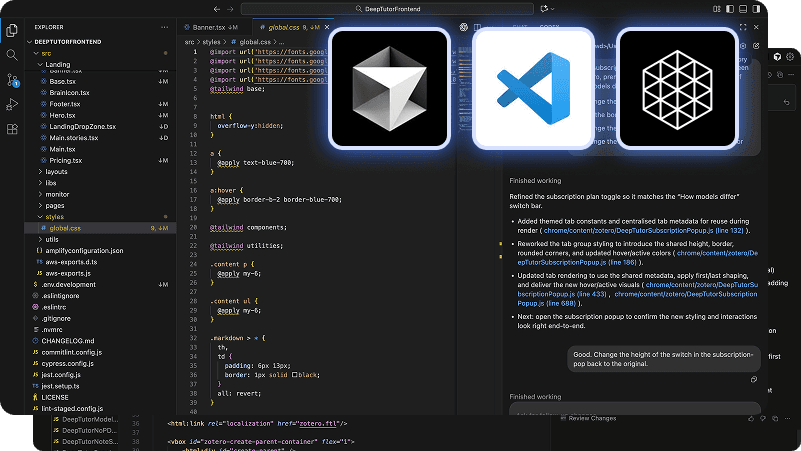
I also use Cursor and Codex plugin to do vibe coding, solving some front-end UI/UX issues instead of rolling all issue to the engineer team. This way, the engineer team can focus on the more important bugs.

Result

Increased implementation efficiency by

Increased implementation

efficiency by

~30%

Launched the product in only

3 months

Reflection

Bridging the Gap Between Engineering and UX

Working on a tech-driven product like DeepTutor presented a unique challenge: balancing engineering-led feature development with a user-centric vision. As the founding designer, I realized that effective collaboration required me to become "fluent" in the technical landscape. By documenting complex technical concepts and proactively aligning with the engineering team, I ensured that our communication was seamless and our goals were unified.

Beyond communication, my primary role was to translate technical possibilities into intuitive user flows. I focused on "bridging the gap"—ensuring that the underlying AI technology felt accessible rather than overwhelming. By applying strong product thinking, I was able to address experience-related pain points, such as managing user expectations during generation times, which technical logic alone couldn't solve.

DeepTutor is a tech-driven product, where the development of features are driven by the engineers. As the only founding designer in the team, I often faced challenges when communicating with the engineers when developing a new feature. The engineers' discussions have a heavy focus on the tech details, so I sometimes cannot follow understand what they are talking about. I realized that it is important to document the new concept that I don't fully understand, look up by myself, and confirm with the engineers to make sure our communication is fully aligned.

More importantly, when the engineers are obessed with the tech possibilities. I often bridge the gap between the user experience and the technology. I focus on thinking from the product perspective, translate the technology to a clear user flows and make sure users can intuitively use this AI-native experience.

I also realize the power of product thinking, as it can solve problems that cannot be solved by the tech side, such as